LESCO Bill Check App 2026: Best Official Apps to View and Pay Your Bill
Most people now check their electricity bill on a phone, and searching for a LESCO bill check app on Google Play brings up dozens of results. Some are official, some are made by banks, and many are third-party apps full of ads that may misuse your data. Picking the right app matters.
This guide lists the official and safe LESCO bill check app options for 2026, explains what each one can do, shows how to set them up, and tells you how to spot a fake app before you install it.
Quick answer: The official LESCO bill check app is LESCO Light, made by PITC. It shows your bill, payment history and complaints. LESCO’s Apna Meter Apni Reading app lets you upload your own meter reading, and banking apps such as Easypaisa, JazzCash and myABL let you check and pay the bill with your reference number. No app needed? Use our LESCO bill check online tool in any browser.
Table of Contents
Best LESCO Bill Check App Options in 2026
| App | Made by | Check bill | Pay bill | Other features |
|---|---|---|---|---|
| LESCO Light | PITC (official) | Yes | Yes | Complaints, load-shedding schedule, tax certificate, new connection |
| Apna Meter Apni Reading | LESCO (official) | Reading only | No | Upload your own meter photo and reading |
| Easypaisa | Telenor Microfinance Bank | Shows amount due | Yes | Payment receipts and history |
| JazzCash | Mobilink Microfinance Bank | Shows amount due | Yes | Payment receipts and history |
| Bank apps (myABL and others) | Your bank | Shows amount and status | Yes | QR bill payment in many apps |
LESCO Light: The Official LESCO Bill Check App
LESCO Light was launched in January 2022 by PITC, the company that runs LESCO’s billing system, and it replaced the older Roshan Pakistan app. It is the most complete LESCO bill check app because it connects straight to your consumer account. Its main features are:
- current bill and duplicate bill;
- billing and payment history;
- online bill payment;
- complaint registration and tracking;
- load-shedding schedule for your feeder;
- tax certificate and new connection services.
The app has more than 500,000 downloads on Google Play and was last updated in June 2026. Note that a sister app for another company was removed from the store in 2026, so always check that the live listing shows PITC as the developer before you install.
How to set up LESCO Light
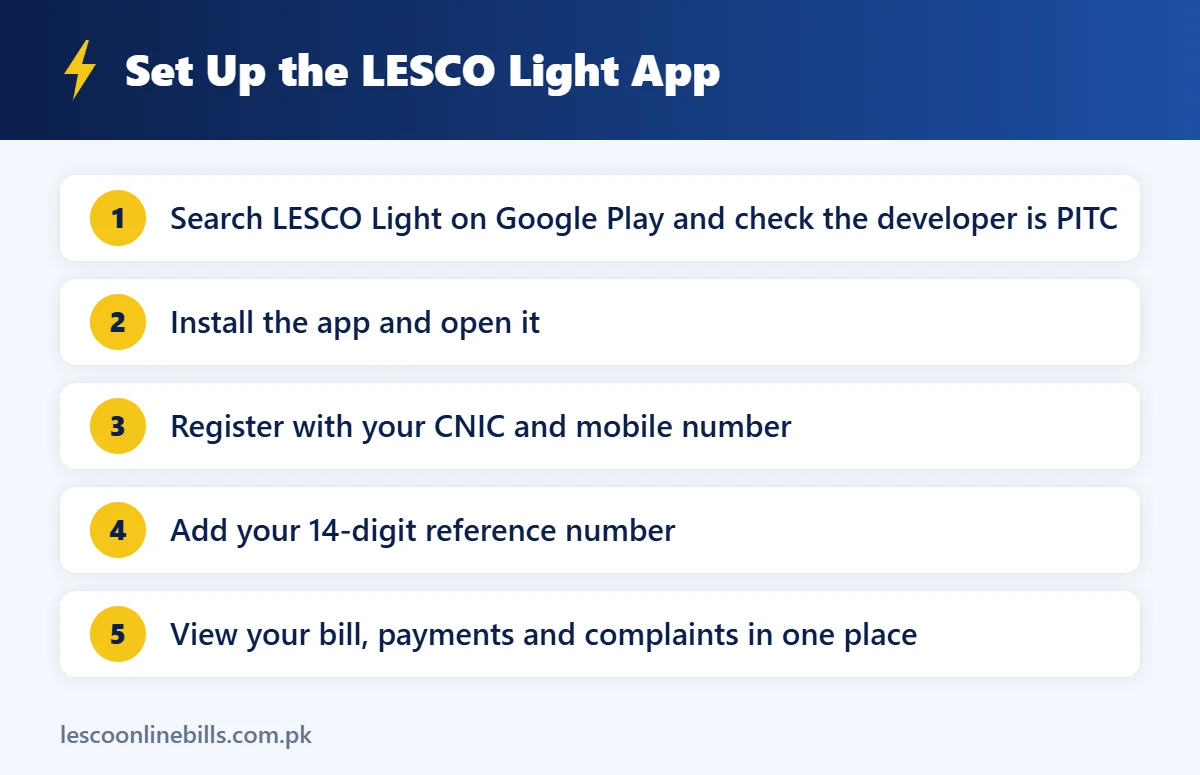
- Open Google Play and search for “LESCO Light”.
- Check that the developer is PITC, then install it.
- Register with your CNIC and a mobile number.
- Add your 14-digit LESCO reference number to link your connection.
- Open the bill section to view your bill, history and payment status.
If you pay bills for more than one house, add each reference number so the LESCO bill check app shows all of them in one place.
Apna Meter Apni Reading: Upload Your Own Meter Reading
Wrong readings are one of the biggest causes of high bills. LESCO’s Apna Meter Apni Reading app, launched in June 2025, lets you take a photo of your meter and upload your own reading. Radio Pakistan reported in August 2026 that LESCO still offers it alongside LESCO Light. It is not a full LESCO bill check app, but used together with one, it helps you make sure the units on your bill match the meter.
Banking and Wallet Apps
If you already use a banking or wallet app, it can act as a simple LESCO bill check app too. When you enter the reference number, it shows the consumer name and the amount due before you pay.
Easypaisa
- Open Easypaisa and tap Bill Payments.
- Choose Electricity, then LESCO.
- Enter the reference number and check the amount.
- Pay and save the receipt.
JazzCash
- Open JazzCash and go to Pay Bills.
- Choose Electricity, then LESCO.
- Enter the reference number, confirm the amount and pay.
myABL and other bank apps
In myABL, go to Payments, choose Utility and LESCO, then enter the reference ID. Allied Bank says the app shows the bill details and payment status, and you confirm payment with an OTP. Many bank apps also let you pay by scanning the LESCO bill QR code.
After paying through any app, you can confirm the payment with our guide on checking if your LESCO bill is paid.
No App? Check Your Bill in the Browser
You do not need to install anything to see your bill. Open our LESCO bill checker or the official PITC bill page in Chrome or Safari, enter your reference number, and the bill opens on screen. You can then save it as a PDF, as shown in our LESCO duplicate bill guide. Add the page to your home screen and it works almost like an app, without taking space on your phone.
Which LESCO Bill Check App Should You Use?
The right choice depends on what you want to do each month:
- You only want to pay: use the banking or wallet app you already have. It shows the amount due and gives you a receipt.
- You want history, complaints and schedules: install LESCO Light, the most complete LESCO bill check app.
- Your readings are often wrong: add Apna Meter Apni Reading and upload a meter photo each month.
- You do not want to install anything: open the bill in your browser and save it as a PDF.
Many families use two of these together: LESCO Light to check the bill and a banking app to pay it.
LESCO Bill Check App Not Working? Quick Fixes
- Old bill showing: the new bill appears a few days after the meter reading. Pull down to refresh after a day or two.
- OTP not received: check your signal, make sure the SIM is registered on your CNIC, and request the code again after a few minutes.
- App crashes or will not open: update it from Google Play, clear the app cache, or reinstall it.
- Server busy near the due date: try early morning or late night, when fewer people are online.
- Still stuck: use the website as a backup. Your reference number works there even when a LESCO bill check app is down.
Keep the app updated, because older versions can stop connecting to the billing system after changes on the server side. If a LESCO bill check app you rely on disappears from the store, switch to the website and your bank app until an official replacement is available.
How to Spot a Fake LESCO Bill Check App
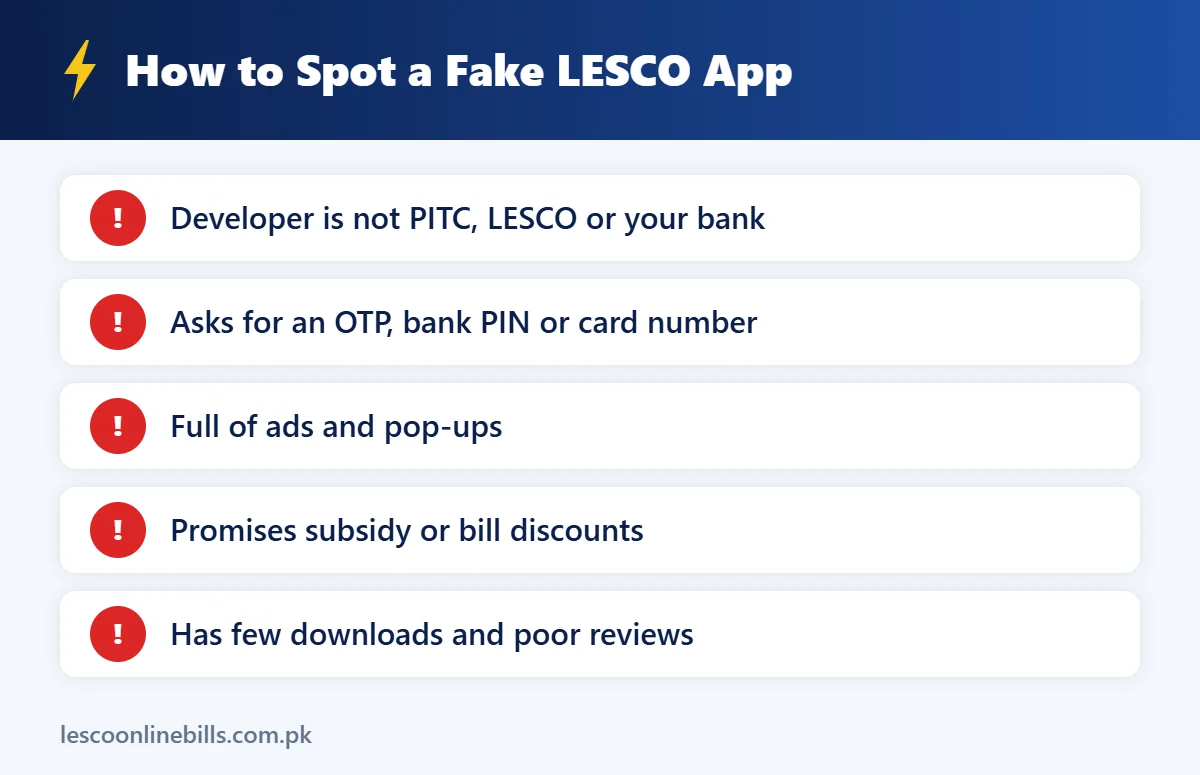
Many apps use the LESCO name and logo without any link to the company. Before you install a LESCO bill check app, check these points:
- Developer name: official apps are published by PITC or LESCO; payment apps by a bank or licensed wallet.
- What it asks for: a bill checker only needs your reference number. An app that asks for an OTP, bank PIN or card number is a red flag.
- Promises: no app can lower your bill or activate a subsidy for a fee.
- Ads and permissions: heavy pop-up ads, or requests to read your SMS and contacts, are warning signs.
- Reviews: read recent reviews and look at the download count.
In May 2026 the Power Division warned the public about fake QR codes and subsidy links that collect personal details and one-time codes. Treat any LESCO bill check app or website that asks for your CNIC together with an OTP the same way: close it and report it.
Protect Your Data on Any App
Even official apps hold personal details such as your name, address, CNIC and phone number, so treat them like your banking app. Use a screen lock on your phone, do not share your login with neighbours or shopkeepers, and log out if you use someone else’s phone. Turn on notifications only from the official app or your bank, so payment and complaint messages come from a trusted source. If you sell or give away your phone, uninstall the apps and remove saved billers first. And if a family member manages your account, share the reference number with them rather than your app password; they can check and pay the bill through their own banking app.
App or Website: Which Is Better?
| Point | Official app | Website |
|---|---|---|
| Setup | Install and register once | Nothing to install |
| Speed each month | Very fast after setup | Type the reference number each time |
| Extra services | Complaints, schedules, payments | Bill view, print and PDF |
| Best for | Regular users and several connections | Quick checks on any device |
If your area has smart meters, readings may reach LESCO automatically. Our LESCO smart meter guide explains how AMI meters work and how to read them.
LESCO Bill Check App FAQs
Which is the official LESCO bill check app?
LESCO Light, published by PITC. LESCO also offers Apna Meter Apni Reading for uploading your meter reading.
Is the LESCO bill check app free?
Yes. LESCO Light and Apna Meter Apni Reading are free to download. Payment fees, if any, depend on your bank or wallet.
Can I check the bill without the reference number?
You need the reference number or customer ID. If you lost it, find it on an old bill or a payment receipt.
Is there an iPhone app?
Availability on the App Store can change. iPhone users can always check the bill in Safari, or use their bank’s iPhone app to view and pay it.
Is there an official SMS service to get the bill?
We could not confirm an official LESCO SMS bill service for 2026, so use the app or website instead.
Why does my app show an old bill?
The new bill appears a few days after the meter reading. Refresh after a day or two, or check the website.
Final Words
The safest LESCO bill check app is the official LESCO Light app from PITC, backed by Apna Meter Apni Reading for your own meter reading and your bank or wallet app for payments. If you prefer not to install anything, the website works on every phone. Whatever you choose, share only your reference number, never your OTP or bank details.