LESCO Bill Paid or Not? 5 Easy Ways to Check Your Payment Status
Paid your electricity bill but not sure it went through? Or maybe a family member says they paid, and you want to confirm before the due date passes. Checking the
LESCO bill paid or not
status takes about two minutes, and it can save you from a 10% late payment surcharge, a disconnection notice or paying the same bill twice. Below are five easy ways to check your LESCO bill paid status, how long a payment takes to show, how to read the payment section on your bill, and what to do if a paid bill still shows as unpaid.
Table of Contents
Why Checking Your LESCO Bill Paid Status Matters
- Avoid the late surcharge: a bill paid after the due date carries a late payment surcharge of 10%.
- Avoid disconnection: unpaid amounts move to the next bill as arrears, and long-pending arrears can lead to disconnection.
- Avoid double payment: when more than one person in the house pays bills, checking first stops the same bill from being paid twice.
- Keep proof: landlords, tenants and offices often ask for proof that the electricity bill is clear.
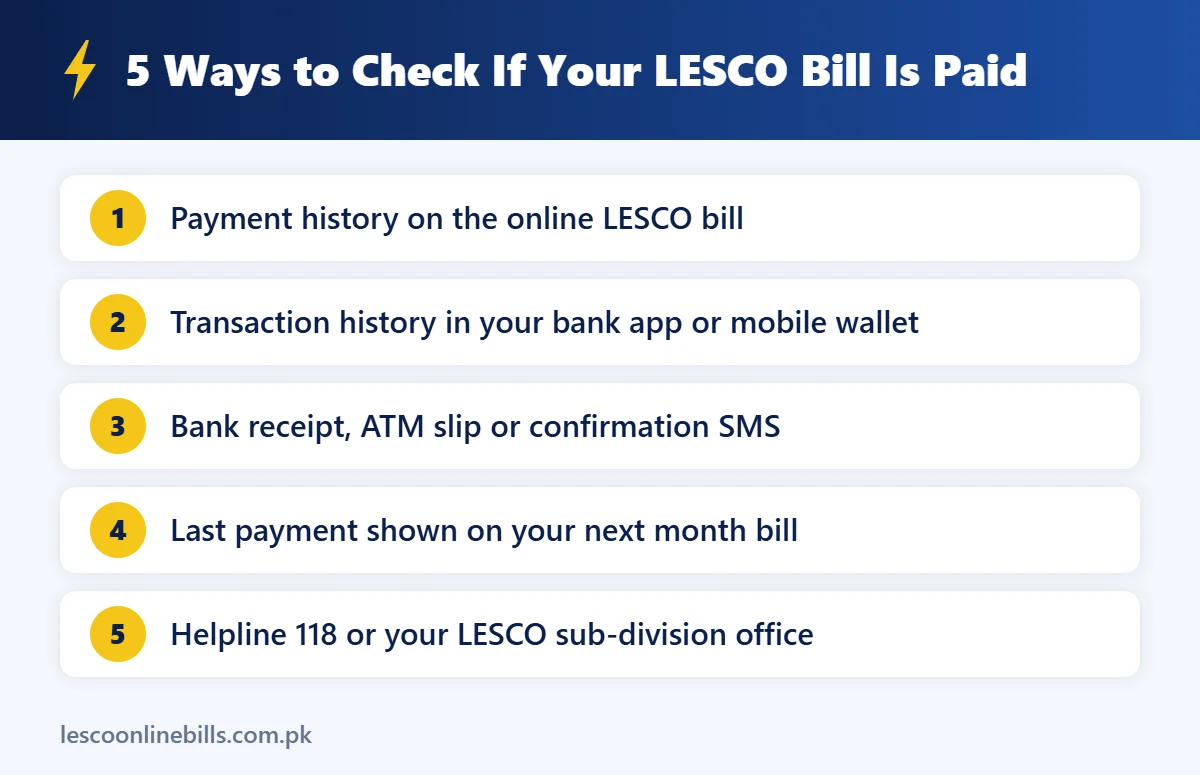
How to Check LESCO Bill Paid or Not: 5 Easy Methods
1. Check the LESCO bill paid record in the online bill history
This is the most reliable method. NEPRA’s
requires every bill to show billing and payment history for the last 12 months.
- Open the official PITC bill page at bill.pitc.com.pk/lescobill or our LESCO bill check online tool.
- Enter your 14-digit reference number (no spaces, no U/R letter) and press Search.
- Scroll to the billing history table on the bill.
- Look for the payment amount next to the month you paid. If the amount and date are there, your LESCO bill paid entry is complete.
If the history still shows the previous month only, the payment may not have reached the billing record yet. Give it a couple of working days.
2. Check your bank app or mobile wallet
If you paid through internet banking, a banking app, JazzCash or Easypaisa, open the transaction history in the same app. A successful payment shows the reference number, amount, date and a transaction ID. Some banks also show the bill status inside the app. For example, Allied Bank’s myABL lets you enter the reference number under Payments and scroll down to see the payment status. You should also receive a confirmation SMS or email after a successful payment.
3. Check the bank receipt, ATM slip or SMS
Paid at a bank branch or ATM? The stamped receipt or printed ATM slip is your proof of payment. Keep it until the payment appears in the next bill’s history. Take a photo of it on your phone so it cannot get lost.
4. Look at your next month’s bill
Your next bill shows the last payment in its history. If the previous amount was not received, it appears as arrears and is added to the new amount. Comparing the “payable” figure with your usual bill quickly tells you whether the earlier payment was recorded.
5. Call helpline 118 or visit the LESCO office
The Power Division’s 118 helpline handles complaints and queries for distribution companies, including LESCO. Keep your reference number ready. For a written answer, visit the revenue section of your LESCO sub-division office with the bill and your payment receipt.
How Long Before Your LESCO Bill Paid Status Updates?
Your bank or wallet confirms the payment straight away, but the LESCO billing record can take a little longer to update. In most cases the payment shows within a few working days. Payments made on weekends, public holidays or late on the due date may take longer. Do not pay again just because the online record has not changed on the same day; first check your bank or wallet history.
How to Read the Payment Section on Your Bill
The billing history table on your LESCO bill usually has these columns:
| Column | What it tells you |
|---|---|
| Month | The billing month, for example Sep-26 |
| Units | Units consumed in that month |
| Bill | The amount billed for that month |
| Payment | The amount LESCO received against that month |
If the Payment column matches the Bill column, that month is clear. A blank or lower payment means the balance moves forward as arrears. Want to check whether the billed amount itself is correct? Use our
.
LESCO Bill Paid but Shows Unpaid? Do This
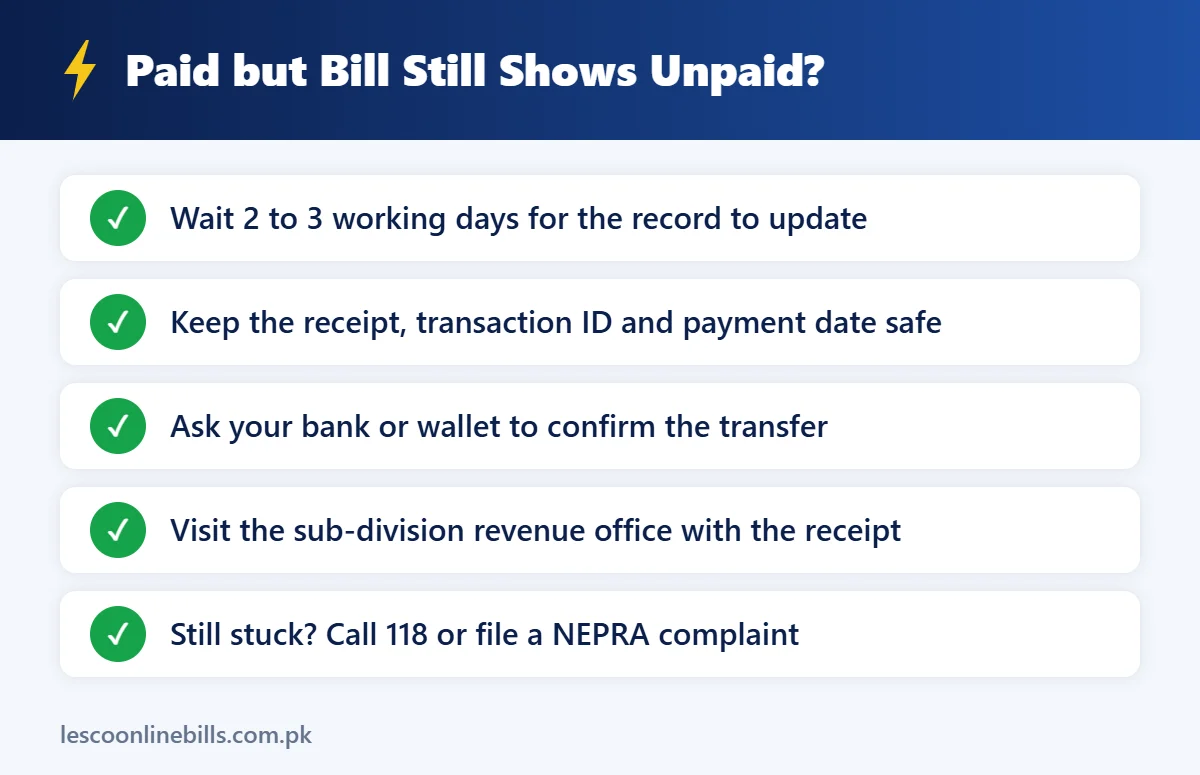
- Wait two to three working days. Many “unpaid” cases fix themselves once the bank sends the payment file.
- Collect your proof. Keep the receipt, transaction ID, date, time and the reference number you used.
- Check the reference number. One wrong digit means the money went to another consumer’s bill. Your bank or wallet can confirm which reference number was paid.
- Contact your bank or wallet. Ask them to confirm that the payment was transferred to LESCO.
- Visit the LESCO revenue office. Take the receipt to your sub-division so they can post the payment manually.
- Escalate if needed. Call 118, or file a complaint on NEPRA’s complaint management system if the issue is not solved.
Paid on the Due Date but Charged a Surcharge?
Paying on the last day is risky. In one LESCO case decided by NEPRA, an online payment made after 6:00 pm on the due date was counted as a late payment and the surcharge was upheld. The safe habit is simple: pay at least one or two days before the due date, especially when you use an app or online banking.
Paid Your LESCO Bill Twice by Mistake?
It happens, especially in joint families. If the same bill was paid twice, the extra amount is normally adjusted against your next bill as a credit. Check the next bill to confirm the adjustment. If it does not appear, visit the sub-division revenue office with both receipts.
Tips to Avoid LESCO Payment Problems
- Before paying, check whether your LESCO bill paid or not status is already “paid” in the history, so you do not pay twice.
- Copy the reference number from the bill or a saved biller instead of typing it each time.
- Pay one or two days before the due date.
- Save a screenshot of every payment confirmation in one folder.
- Use the payment QR code on the new bill format with a banking app that supports QR payments, so the amount and reference fill in by themselves.
- Remember that post offices stopped collecting LESCO bills from 1 April 2026. Use a bank, an app or another authorised channel.
Check LESCO Bill Paid or Not on Your Phone
Most people check from a phone, and the steps are simple:
- Open Chrome or Safari and go to the official PITC LESCO bill page, or open our bill checker.
- Paste or type your 14-digit reference number and tap Search.
- Zoom in on the billing history table and find the payment against the latest month.
- Take a screenshot as a record of your LESCO bill paid status.
You can also use the official LESCO Light app by PITC, which shows billing and payment details, or the transaction history in the banking or wallet app you paid with. If you pay bills for your parents in another city, save their reference number as a biller in your app so the LESCO bill paid check takes seconds each month.
Who Should Check LESCO Bill Paid or Not Status?
- Tenants who pay the bill themselves and want proof for the landlord.
- Landlords who need to make sure a tenant has not left unpaid arrears on the meter.
- Overseas Pakistanis paying bills for family members back home.
- Office and shop managers who pay several connections every month.
- Buyers of a house or plot, who should confirm that the meter has no pending dues before the deal.
Common Mistakes When Checking LESCO Bill Paid Status
- Looking at the wrong month: the history table lists many months. Match the month you actually paid.
- Confusing arrears with the current bill: arrears are old unpaid amounts added to the new bill, not a sign that this month’s payment failed.
- Checking too early: a payment made a few hours ago may not appear yet, so do not pay again in panic.
- Using an old saved page: refresh the page or search again so you see the latest LESCO bill paid information.
- Mixing up the two amounts: the bill shows one amount payable within the due date and a higher amount after it. Paying late means paying the higher figure.
Methods Compared
| Method | Time needed | Best for |
|---|---|---|
| Online bill history | 1 to 2 minutes | Confirming LESCO has recorded the payment |
| Bank app or wallet | 1 minute | Confirming the money left your account |
| Receipt or SMS | Instant | Proof for disputes |
| Next month’s bill | Wait for the next bill | Final confirmation |
| Helpline 118 or office | Call or visit | Problems and corrections |
LESCO Bill Paid or Not: FAQs
How can I check my LESCO bill paid or not online?
Open the online bill with your 14-digit reference number and look at the billing history table. A payment amount next to the month means it is paid.
Can I check LESCO bill paid status with my CNIC?
No. Bill and payment records are linked to the reference number or customer ID, not to the CNIC.
My bank says paid but LESCO shows unpaid. What now?
Wait a few working days, then take your receipt to the sub-division revenue office or call 118. Keep the transaction ID ready.
Will I pay a surcharge if LESCO records my payment late?
The payment date on your receipt is what counts. If you paid before the due date and still see a surcharge, ask for a correction with your receipt.
Does the next bill confirm my LESCO bill paid record?
Yes. The billing history on every new bill lists recent payments, and any unpaid balance appears as arrears.
Is there an official SMS service to check payment status?
We could not confirm an official LESCO SMS service for payment status, so rely on the online bill, your bank app or helpline 118.
Final Words
Checking LESCO bill paid or not status takes only a couple of minutes. Start with the billing history on the online bill, confirm it in your bank or wallet app, and keep your receipt until the next bill shows the payment. If something looks wrong, act early: contact your bank, visit the revenue office or call 118 well before the next due date.