
LESCO Bill Check Online 2026
Check your latest LESCO electricity bill using your 14-digit Reference Number. Access your duplicate bill online and print or save a copy for your records.
Check Your LESCO Bill
Enter your bill information below
What is a LESCO bill check?
LESCO offers an online platform that lets you view your bill from the comfort of your home. Checking the details is simple: enter your reference number and you can see your electricity bill and meter reading within minutes. Always use the official LESCO billing website to avoid fraud or scams.
You can check your meter status online and see both the amount payable by the due date and the amount payable after it. The process is free, and on a fast connection it takes only a few seconds — the bill opens with its details, including both due-date amounts and the applicable taxes.
After checking the bill you can use any of the available payment options — bank accounts, mobile wallets and ATMs — to settle it. Paying through a bank is a good option because it gives you a record confirming the payment was made.
Official website: LESCO’s own site is www.lesco.gov.pk. Avoid entering personal details on unofficial websites.
Prefer your phone? See the LESCO bill app guide for the official app and banking apps that show your bill.
How to check your LESCO bill online
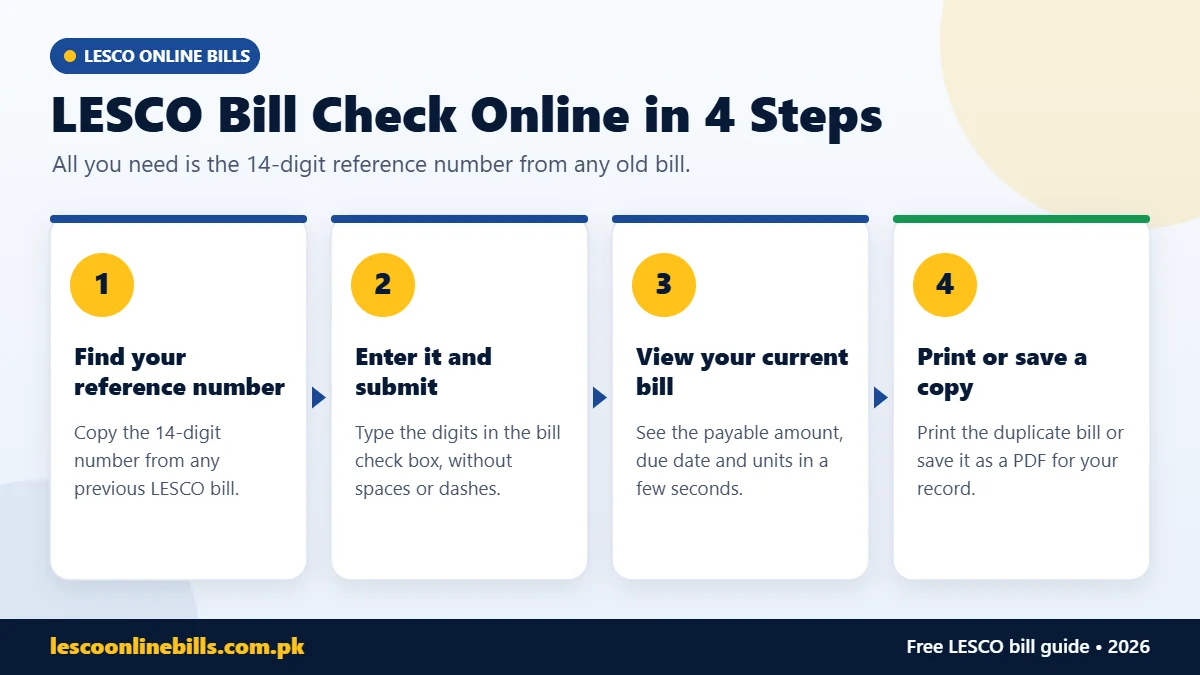
Checking your LESCO bill is easy — just follow these steps.
- 1
Find your reference number
Take any previous LESCO bill and copy the 14-digit number from the box labelled Reference No.
- 2
Enter it and submit
Type the number into the bill check box at the top of this page, without spaces or dashes, then tap Check Bill.
- 3
View your current bill
Your bill appears within a few seconds with the payable amount, due date, units consumed and meter readings.
- 4
Print or save a copy
From the same page you can print a duplicate copy of the bill or save it as a PDF.
No old bill at hand? Read LESCO bill check by CNIC, bill check by meter number or bill check by name.
What information is available on a LESCO bill?
Every bill you open online shows the following details.
LESCO bill check by reference number
You can check your bill details and the number of units consumed by entering the reference number. This is the 14-digit number found on your electricity bill; it is unique to your connection and is what the billing system uses to pull up your record.
Once the bill opens you can see all of its details, including the latest figures as well as past records. The process is simple, but enter the reference number carefully — a single wrong digit will show the wrong bill or no bill at all.
Full guide: where to find your LESCO reference number on the paper bill.
Reference No
04 11523 0012345 U
- 04Billing batch of your area
- 11523Your LESCO sub-division
- 0012345Your own connection
- UUrban or rural — not typed online
Type the 14 digits only: 04115230012345
LESCO duplicate bill
If you have not received your original paper bill, use the online duplicate bill instead — enter your details and you can view and print the latest bill.
How to download your bill
- Open the latest bill using your reference number.
- Check that the bill details are correct.
- Save it to your phone or computer as a PDF file, or send it to a printer.
You must enter the consumer number or bill details first — the duplicate bill cannot open without them.
Printing tips
- On Android, use Chrome’s menu → Share → Print; on iPhone, Share → Print in Safari.
- On a computer, press Ctrl + P (Windows) or Cmd + P (Mac).
- Choose Save as PDF to download, and set the paper size to A4 before printing.
Step-by-step: download and print a copy of your bill, view bills of previous months and check if your bill is paid.
Additional features of the online bill
Bill history
Check your latest bill and review earlier bills and unit consumption from the same page.
Easy to use
You only need the 14-digit number from your bill. Enter it, press Check Bill, and your latest bill opens.
Fast
Latest and past records open in a few seconds — all you need is your reference number.
Consumption tracker
See how many units you used this month against previous months, so you can manage your usage.
Mobile friendly
The billing site works on phones, so you can check your details anywhere — just enter the reference number correctly.
Full breakdown
Units consumed and taxes are listed in separate columns, so you can see exactly how the amount was built up.
Related: using the QR code on your bill and LESCO SMS alerts registration.
LESCO bill payment methods
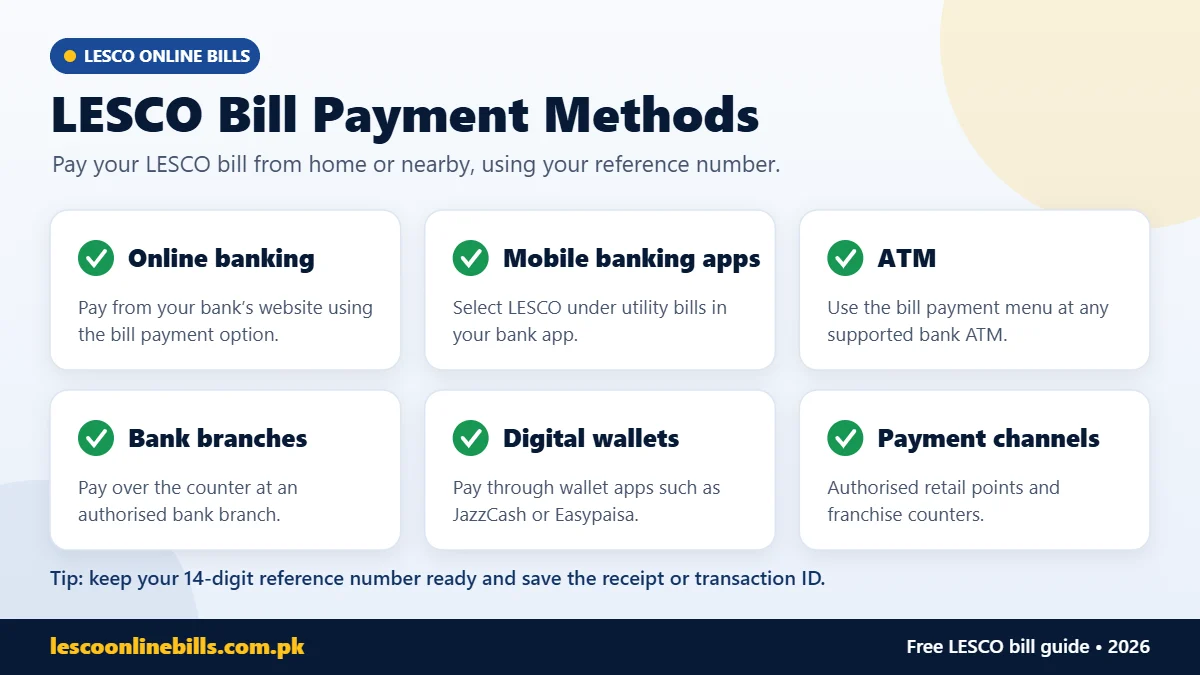
All methods need your 14-digit reference number. Keep the receipt or transaction ID as proof of payment.
Detailed guides: LESCO online bill payment, paying your bill in installments and LESCO bill due date.
LESCO service and complaint numbers
Use these numbers for outages, faults, billing questions and general enquiries.
| Service | Contact number / code | Purpose |
|---|---|---|
| LESCO complaint helpline | 118 | Electricity, billing or other complaints |
| SMS complaint service | 8118 | Register a complaint by SMS |
| LESCO toll-free | 0800-00118 | Customer complaints or support |
| Power failure complaint | 042-111000118 | Electricity / power failure complaints |
| LESCO head office | 042-99204820-30 | General office contact |
| Customer services directorate | 042-99204814 | Customer service matters |
| Manager commercial | 042-99204850 | Commercial and billing matters |
| Manager S&I | 042-99204798 | Service and inspection matters |
LESCO bill SMS service: if you cannot check your bill online, send your reference number in a text message to 8118 and LESCO will process the request and send your billing information back to you.
See also: how to register a LESCO complaint, all LESCO helpline numbers and LESCO office addresses.
How to read your LESCO electricity bill
Each part of the bill is explained below. To work out the amount for a given number of units before the bill arrives, use our LESCO bill calculator.
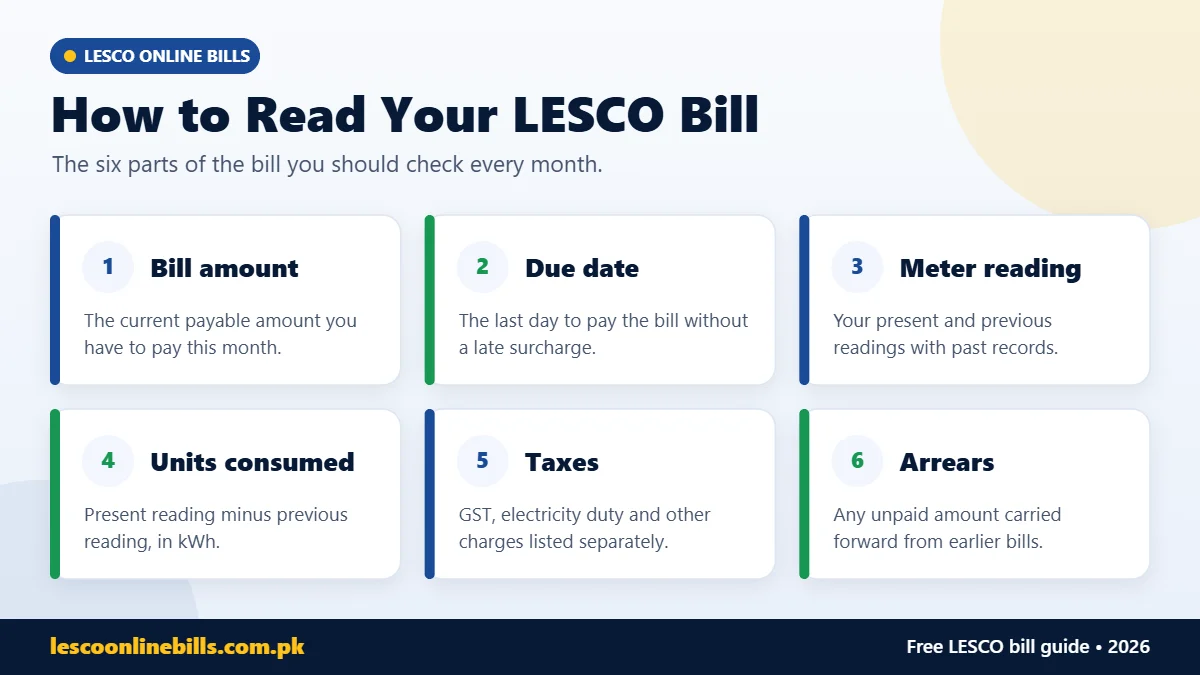
Bill amount
Your current payable amount, shown as soon as you enter your reference number.
Meter reading
Shows the present and previous readings along with past records and the units consumed.
Due date
The bill appears online before the paper bill reaches your home, so you can see the due date early and pay on time.
Taxes
Units consumed and taxes are listed separately, so you can see the breakdown of charges against the billed amount.
Units consumed
The difference between the present and previous meter readings. This figure changes from month to month with your usage.
Arrears
Any unpaid amount from earlier bills is shown separately, along with the total you now owe.
Learn more: LESCO bill explained line by line, taxes on your LESCO bill, FPA charges and current LESCO unit rates.
LESCO bill guides and services
Step-by-step guides for everything else you may need after checking your bill, from paid status and subsidy to complaints and new connections.
LESCO bill paid or not
Check whether your last payment has been received and what to do if it still shows unpaid.
LESCO duplicate bill
Download and print a free copy of your current or lost electricity bill.
LESCO bill check by CNIC
What works and what does not when you only have your CNIC number.
LESCO bill check app
The official LESCO app and the banking apps that show your bill on your phone.
LESCO bill subsidy
Who is eligible, protected and non-protected rates, and how to register.
LESCO bill installment
How to request installments when your bill is too high to pay at once.
LESCO tax certificate
Download your electricity tax certificate for FBR return filing.
LESCO bill QR code
Scan the QR code on your bill to pay or to register for the subsidy.
LESCO bill correction
Fix a wrong or inflated bill: documents, complaint steps and NEPRA rules.
LESCO complaint
Register, track and escalate a complaint through every official channel.
LESCO new connection
Apply online through the ENC portal and see the documents you need.
LESCO MIS
What the LESCO MIS portal is, its official address and who can log in.
About the official LESCO website
You can check both new and old LESCO bills online. The official site provides the billing details — simply enter the required information there. Avoid sharing your personal details on unofficial websites, as this can lead to security risks or problems with payment.
Using the official LESCO website also lets you see your billing history, which helps when you need to compare months or resolve a dispute.
Read our guide to the LESCO official website and its services and the LESCO MIS portal.
LESCO bill FAQs
Where can I find my LESCO reference number?
The reference number is printed on a previously paid bill. Look at any old bill and copy the 14 digits from the box labelled Reference No.
Why is my LESCO bill not showing?
Most often the reference number was entered incorrectly. It can also be an internet connectivity problem or a temporary technical issue on the billing site.
Is checking the LESCO bill online free?
Checking your bill through the official website is free. Third-party websites or apps may charge a service fee.
lescoonlinebills.com.pk is an independent information website and is not affiliated with LESCO, PITC or the Government of Pakistan. We do not store your reference number. For official services, visit the official LESCO website. About us · Contact us.