LESCO Previous Bill: Check Your Last 12 Months Bill History Online
Need to see how much you paid for electricity last month, or six months ago? Your LESCO previous bill history is available online for free. Every LESCO bill carries a table of the last 12 months, showing the units you used, the amount billed and the payment received. This guide explains how to check your LESCO previous bill history, how to get a full copy of an older bill, and how to use those records to catch overbilling and protect your subsidy.
Quick answer: Open your current bill online with the 14-digit reference number on our LESCO bill check online tool or the official PITC page, then scroll to the billing history table. It lists your LESCO previous bill details for the last 12 months. For a complete copy of an older month, visit your LESCO sub-division office.
Table of Contents
What Does “LESCO Previous Bill” Mean?
People search for a LESCO previous bill for two different reasons, and the answer depends on which one you need:
- The history of past bills: month-by-month units, amounts and payments. This is shown on every current bill, online and on paper.
- A full copy of an old bill: the complete page for a past month, often needed for a rent file, a visa application or a dispute. The official online portal mainly shows the latest bill, so older full copies usually come from the LESCO office or from PDFs you saved yourself.
How to Check LESCO Previous Bill History Online
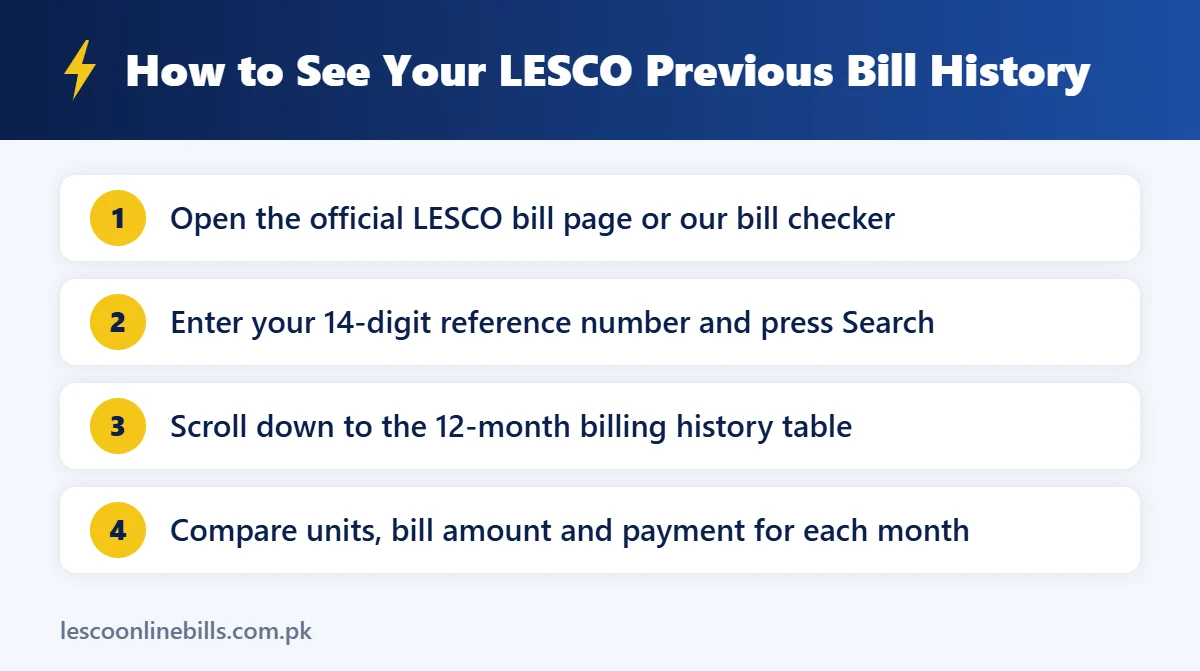
- Open the bill page. Use the official PITC portal at bill.pitc.com.pk/lescobill or the checker on our homepage.
- Enter your reference number. Type the 14 digits from any old bill without spaces or the U/R letter. You can also search with the customer ID; see our customer ID guide.
- Open the current bill. Press Search and wait a few seconds.
- Find the history table. Scroll down to the section that lists the past months.
- Save it. Print the page or save it as a PDF so your LESCO previous bill record is safe on your phone or computer.
NEPRA’s Consumer Service Manual requires every bill to show the billing and payment history of the last 12 months, so this table is always there.
What the 12-Month LESCO Previous Bill Table Shows
| Column | Meaning | What to look for |
|---|---|---|
| Month | The billing month, such as Aug-26 | Make sure no month is missing |
| Units | Units consumed in that month | Sudden jumps without a reason |
| Bill | Amount billed for the month | A high bill with normal units |
| Payment | Amount LESCO received | Blank entries for months you paid |
Read the table from top to bottom and you can see your whole year at a glance: summer peaks, winter lows and any month that looks out of place.
How to Get a Full Copy of an Older LESCO Previous Bill
If you need the complete bill for a month that is no longer shown online, try these options in order:
- Check your own records. Look in your downloads, email, WhatsApp chats and phone gallery for a saved PDF or photo.
- Check your bank or wallet. Payment receipts show the month, amount and reference number, which is often enough as proof of payment.
- Visit your LESCO sub-division. Take your CNIC, the reference number and a short written request for a copy of the bill for the months you need. Staff at the customer service or revenue section can print it from the system.
- Ask the property owner. Landlords often keep the original paper bills.
Rules and waiting times can differ between offices, so call your sub-division before you go.
Why Your LESCO Previous Bill History Matters
1. It shows whether you are a protected consumer
A domestic consumer who uses 200 units or less in each of the previous six months is treated as a protected consumer and pays much lower rates. Cross 200 units in even one of those months and the status is lost for the next six months. Your LESCO previous bill table is the quickest way to check this.
| Category (from 1 January 2026) | 1 to 100 units | 101 to 200 units |
|---|---|---|
| Protected consumer | Rs10.54 per unit | Rs13.01 per unit |
| Non-protected consumer | Rs22.44 per unit | Rs28.91 per unit |
These are base rates before taxes and adjustments. See the full slab list on our LESCO unit rate page.
2. It helps you catch overbilling
If this month’s units are far above the same month last year, and nothing changed at home, the reading may be wrong. Your LESCO previous bill history gives you the numbers to support a complaint.
3. It proves your payments
The payment column shows that past bills were cleared, which is useful for tenants, buyers of a property and anyone asked for proof of payment.
4. It helps you plan your budget
Knowing your summer and winter averages makes it easier to plan, and to estimate next month with our LESCO bill calculator.
How to Compare LESCO Previous Bill Records and Spot Overbilling
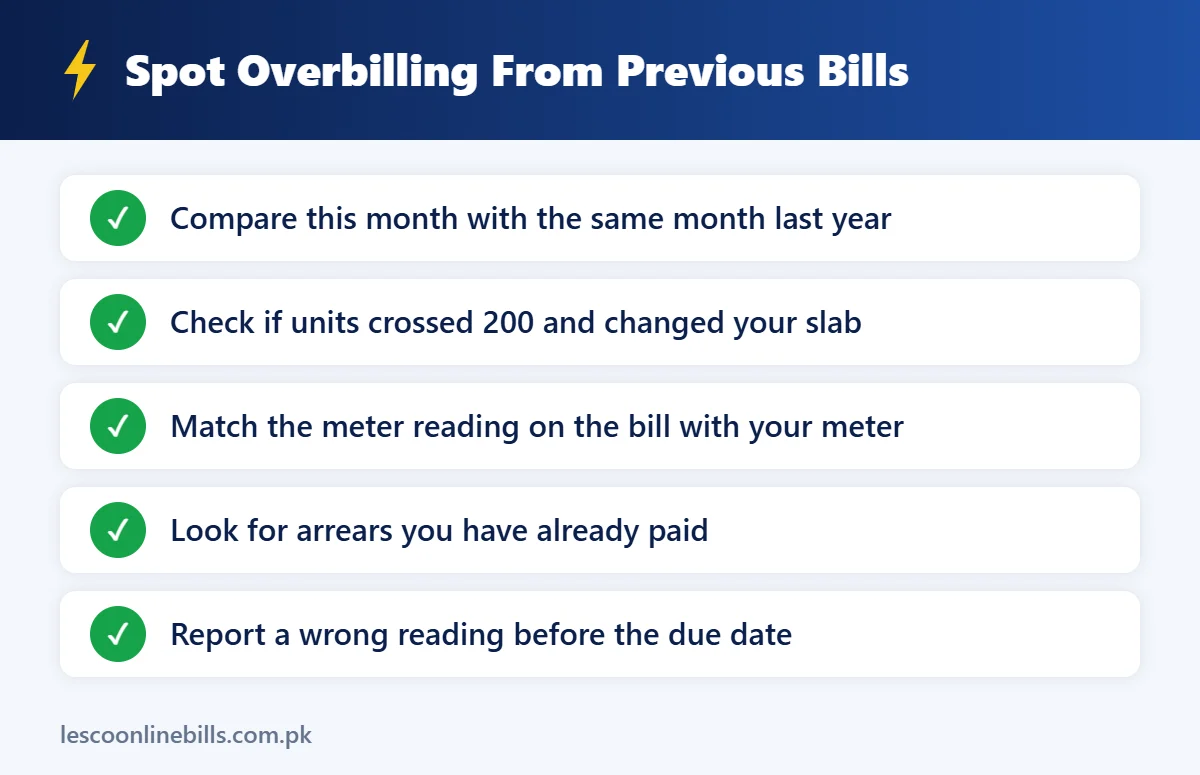
- Compare the current month with the same month last year, not with last month. Weather changes usage a lot.
- Check whether the units crossed a slab limit, especially 200 units, which changes the rate.
- Read your meter yourself and compare it with the “present reading” on the bill.
- Check that arrears on the bill are not for a month you already paid. Your payment status guide shows how to confirm this.
- If something is wrong, take a photo of the meter and your LESCO previous bill history to the sub-division, or call helpline 118, before the due date.
Act fast: NEPRA rules require distribution companies to keep meter reading records for 12 months for billing disputes. Raise a complaint as soon as you notice a problem, while the records are fresh.
Save Every Bill: A Simple Monthly Habit
The easiest way to always have a LESCO previous bill copy is to save each bill when it arrives. Open the new bill online, save it as a PDF and keep it in one folder named “LESCO bills”. Our LESCO duplicate bill guide shows how to save a PDF on a computer, Android phone or iPhone. After a year you will have a full set, ready for any office, landlord or dispute.
What Is Normal in Your LESCO Previous Bill History?
Lahore homes follow a clear seasonal pattern. Units usually climb from May to September, when fans, coolers and air conditioners run for long hours, and drop from November to February. So when you read your LESCO previous bill table, a summer bill that is two or three times the winter bill is normal for many families.
What is not normal is a jump that does not match the season or your habits. For example, a big rise in December, a sudden spike while the house was locked, or the same units printed for several months in a row, which can mean the meter was not actually read. These are the months to question.
Why the Amount Can Change When Units Stay the Same
Comparing amounts alone can be misleading, because the price of a unit changes during the year. Three things affect it:
- Fixed monthly charges: NEPRA approved fixed charges for domestic consumers in February 2026. They range from Rs200 to Rs675 depending on the consumer category and units used, while lifeline consumers are exempt.
- Monthly fuel adjustment: this changes every month. For example, October 2026 bills include an extra Rs1.11 per unit for August’s fuel cost.
- Quarterly adjustment: an extra charge or relief applied for three months at a time.
That is why you should compare units first and amounts second when you go through your LESCO previous bill records.
Using LESCO Previous Bill Records for Rent, Visa and Office Files
Landlords, banks, schools and embassies often ask for recent utility bills as proof of address. In most cases they want the latest bill, and some ask for two or three past months as well. A few tips make this easy:
- Print the latest bill and highlight the history table that shows the earlier months.
- Make sure the name and address on the bill match your documents, or attach a rent agreement if the bill is in the owner’s name.
- Keep a clean PDF of each LESCO previous bill so you can email it instead of visiting the office.
- Show the original receipt if the office wants proof that a specific month was paid.
LESCO Previous Bill Not Showing? Common Problems
| Problem | Reason | Fix |
|---|---|---|
| History table is short | The connection is less than a year old | Only months since the connection started are shown |
| Last month’s payment missing | The payment has not been posted yet | Check again after a few working days |
| “Record not found” | Wrong digits in the reference number | Re-enter 14 digits with no spaces or letter |
| Need a month older than 12 months | Not shown in the online history | Ask the sub-division office for a copy |
If your previous bills show a sudden jump that you cannot explain, our LESCO bill correction guide explains how to get a wrong bill revised.
LESCO Previous Bill FAQs
How many months of LESCO previous bill history can I see online?
The bill shows the last 12 months of billing and payment history.
Can I download the full LESCO previous bill for a past month?
The online portal mainly shows the latest bill. For a full copy of an older month, use your saved PDFs or ask your sub-division office.
Can I check my LESCO previous bill by CNIC?
No. Bill records are linked to the reference number or customer ID, not the CNIC.
Why does my previous month show no payment?
Either the payment was made after the bill was generated, or it has not been posted yet. Keep your receipt and check again in a few days.
Is the LESCO previous bill history accepted as proof of payment?
It shows payments recorded by LESCO, and many offices accept it. Some may still ask for the bank receipt.
Final Words
Your LESCO previous bill history is more useful than it looks. Check it every month, save each bill as a PDF, and use the 12-month table to watch your units, protect your subsidy and catch mistakes early. For anything older than a year, your saved copies or the LESCO office will have what you need.