LESCO SMS Registration 2026: Get Bill, Due Date and Shutdown Alerts on Your Phone
LESCO SMS registration is the easiest way to stop missing your electricity bill, due date or shutdown notices. Once your mobile number is linked with your 14-digit reference number, alerts reach you even when the paper bill gets lost, arrives late or goes to the wrong door. It takes a few minutes and costs nothing beyond normal SMS charges.
In this guide you will learn exactly what LESCO SMS registration gives you, the four ways to register, how to change an old number, how the 8118 short code works and what to do when alerts stop arriving. We also cover the 2026 NEPRA rules that require advance outage notices by SMS.
Table of Contents
What Is LESCO SMS Registration?
LESCO SMS registration simply means linking a mobile number to your electricity connection in LESCO’s customer records. The link is made through your reference number, which is unique to your meter. Once the number is saved, LESCO and the PITC systems that serve it can send you text alerts about your account.
Many consumers already gave a number when they applied for the connection years ago. That number may now be switched off, belong to a previous owner or be missing completely. That is why the government’s 2025 drive asked every consumer to update a correct mobile number, CNIC and owner or tenant status with their distribution company.
Why it matters more in 2026
Billing is moving online. Bills are available as PDFs, complaints are logged digitally and NEPRA’s new performance standards require advance notice of planned outages through SMS or digital platforms. If your number is wrong, you miss all of it. Completing LESCO SMS registration is the first step to using these services.
Alerts You Can Get After LESCO SMS Registration
The exact messages depend on your connection and area, but registered consumers commonly receive the following alerts:
| Alert | When it arrives | What it tells you |
|---|---|---|
| Meter reading | After your monthly reading | Units recorded and reading date |
| Bill issued | When the bill is generated | Amount payable and due date |
| Due date reminder | Before the due date | Amount and last date to pay without surcharge |
| Planned shutdown | Ahead of maintenance work | Date, time window and affected feeder |
| Complaint updates | After you report a fault | Complaint number and status |
An SMS alert does not show the full charge breakdown. For details such as taxes, fixed charges or arrears, download the full bill from our LESCO bill check online tool.
What You Need Before You Register
Keep these details ready to finish LESCO SMS registration in one go:
- Reference number: the 14-digit number printed at the top of your bill. Our LESCO reference number guide shows where to find it.
- Customer ID: some forms ask for it as a second check. See our LESCO bill by customer ID page.
- Active mobile number: ideally registered in your own name, so you can prove ownership if needed.
- CNIC: needed if you update the number at the sub-division office.
- Latest bill: a paper copy or PDF helps the staff find your record quickly.
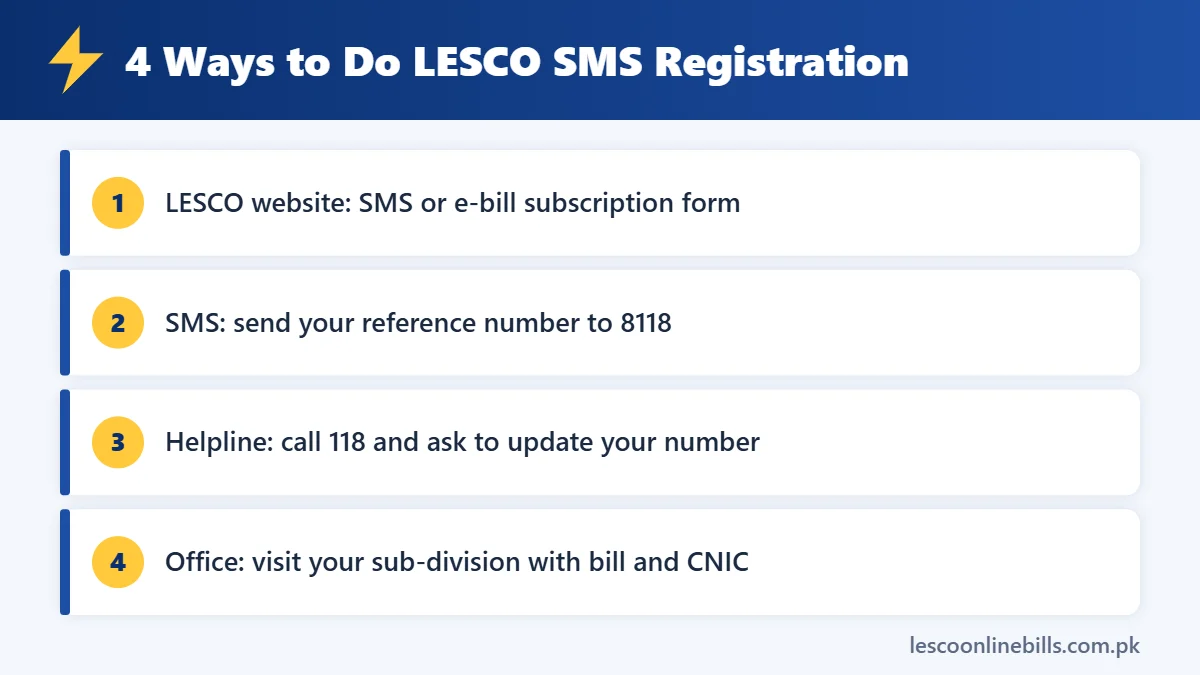
How to Do LESCO SMS Registration: 4 Ways
You can choose whichever method is easiest for you. The website and helpline options work from home, while the office visit is best if your record has other errors that need fixing at the same time.
1. Through the LESCO website
- Open the official LESCO website and look for the SMS or e-bill subscription option.
- Enter your reference number and customer ID.
- Complete the security check on the form.
- Add your mobile number, and email or WhatsApp number if offered.
- Submit and keep a screenshot of the confirmation screen.
Website layouts change from time to time, so the option may sit under customer services or online services. If you cannot find it, use the helpline method below.
2. By SMS to 8118
8118 is the short code used for DISCO consumer services and complaints. Some consumers report completing LESCO SMS registration by sending their 14-digit reference number to 8118, sometimes with a keyword in front of it. Formats can change, so if you do not receive a confirmation reply within a day, register through the website or 118 instead.
3. By calling the 118 helpline
Call 118 from any phone and tell the agent you want to register or update your mobile number for alerts. Give your reference number and confirm your name as printed on the bill. Note the complaint or request number they give you. Our LESCO helpline guide lists other official numbers too.
4. At your sub-division or customer service centre
Take your latest bill and CNIC to your LESCO sub-division office. Ask the revenue or customer service desk to add or update your mobile number. This is the most reliable route if your record shows the wrong name, a previous owner’s number or other mistakes.
How to Check If Your Number Is Registered
There is no single public screen that shows your registered number, but a few simple checks tell you whether your LESCO SMS registration is working:
- You receive a reading or bill SMS within one billing cycle after registering.
- When you call 118 from that number, the agent can find your account quickly.
- Complaint updates arrive on your phone after you report a fault.
If none of these happen after a full cycle, repeat the registration and ask the helpline agent to confirm the number saved in your record.
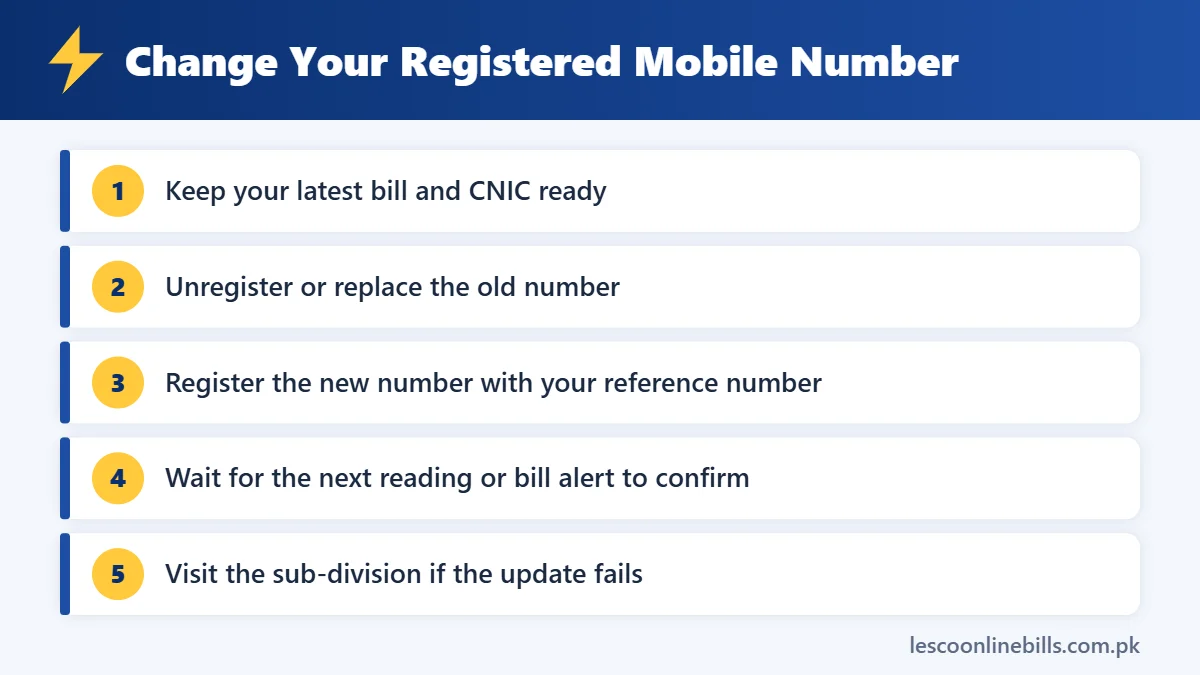
How to Change or Update Your Registered Mobile Number
People change SIMs, sell houses and move out of rented homes. Each of these is a good reason to update your LESCO SMS registration so alerts go to the right person.
- Keep your latest bill and CNIC ready.
- If the old number is still active, unregister it through the same channel you used to register.
- Register the new number using your reference number.
- Wait for the next reading or bill alert to confirm the change.
- If the update does not work, visit your sub-division and ask them to correct the record.
If you have bought a house, the bill may still show the old owner’s name. Update the number now, and plan a formal name change on the connection so the record is fully in your name.
Using 8118 for Complaints and Tracking
The 8118 short code is useful even beyond LESCO SMS registration. In December 2025 the government launched upgraded 118 digital services that let consumers file complaints for free in several languages, including by SMS to 8118, and track progress.
You can use it to report a power failure, a fallen line, a burnt meter or a billing problem. Keep your reference number in the message so the system can find your account. For other channels, see our LESCO complaint guide. Complaints can also be logged and tracked on the PITC complaint system.
Shutdown Alerts and Your Rights Under 2026 NEPRA Rules
In August 2026, NEPRA notified new performance standards for distribution companies. Among other duties, companies must give at least 48 hours of advance notice of planned outages through SMS, email or digital platforms, and they face penalties when they miss service deadlines.
This rule only helps you if your mobile number is correct in LESCO’s system. That is another strong reason to complete LESCO SMS registration. For outage timings in your area, also check our LESCO shutdown schedule and LESCO load shedding schedule guides.
LESCO SMS Registration for Different Types of Users
The basic steps are the same for everyone, but the details change a little depending on who you are and how you use the connection. Here is how LESCO SMS registration works in the most common situations.
Home owners
If the connection is in your name, register your own mobile number and keep it updated. Owners with more than one meter, such as an upper and lower portion, should complete LESCO SMS registration separately for each reference number. One phone number can receive alerts for several meters, which is handy for families who manage bills for parents or relatives.
Tenants
Tenants pay the bill but often do not own the connection. Ask the landlord for permission and register your number so alerts reach the person who actually pays. When you move out, update or remove your number so the next tenant gets the alerts. Telling the office that you are a tenant also helps LESCO keep accurate owner and tenant records.
Overseas Pakistanis and absent owners
If you live abroad, a local family member’s number is usually the most practical choice, because some international numbers may not receive local short-code messages. You can still download and pay the bill online from anywhere. Completing LESCO SMS registration with a trusted local number means outage and due date alerts reach someone who can act quickly.
Shops, offices and small businesses
Commercial users lose money when power goes off without warning. Register the number of the person who manages the premises, not only the owner. Advance shutdown alerts let you plan generator fuel, staff hours and stock that needs cooling. For businesses, LESCO SMS registration is one of the simplest ways to reduce unplanned downtime.
A Simple Example of the Whole Process
Ali rents a house in Johar Town. His bills often arrived after the due date, and he paid late payment surcharge twice in one year. He found the 14-digit reference number on an old bill, called 118 and asked to update the mobile number for alerts. The agent confirmed the owner’s name, saved Ali’s number and gave him a request number.
The next month Ali received an SMS after the meter reading and another when the bill was issued. He downloaded the PDF online, paid through his banking app and avoided the surcharge. His LESCO SMS registration took less than ten minutes, and he now gets shutdown notices for his feeder too.
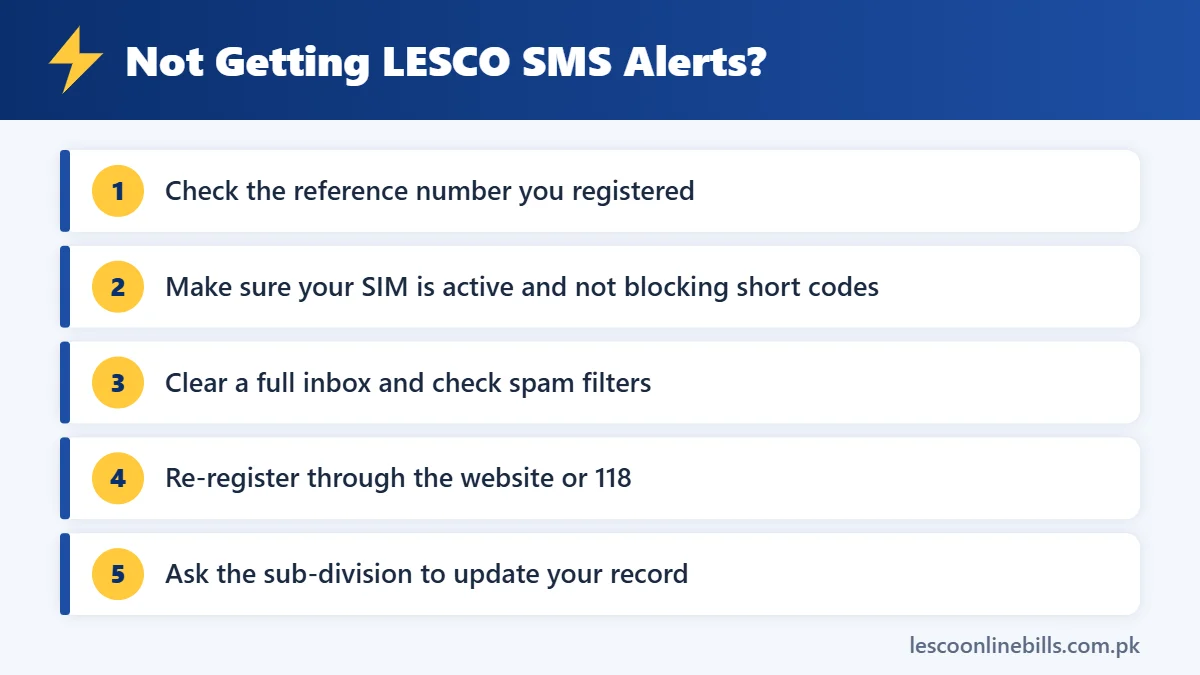
Not Receiving LESCO SMS Alerts? Try These Fixes
If alerts stopped or never started, work through this list before visiting the office:
- Wrong reference number: one wrong digit links your number to someone else’s meter.
- Short codes blocked: some phones or packages block messages from short codes. Check your settings and spam folder.
- Full inbox: older phones refuse new messages when storage is full.
- Old number in the record: a previous owner’s number may still be saved. Update it through 118 or the office.
- Area system delay: in some months alerts arrive late. Download the bill online instead of waiting for the SMS.
Stay Safe From Fake LESCO SMS Messages
Once your number is registered, you may also see fake messages that copy LESCO’s style. Scammers send links that promise bill discounts or threaten disconnection unless you pay through an unknown account. Protect yourself with these rules:
- LESCO does not ask for your bank PIN, OTP or card details by SMS.
- Do not click links from unknown numbers that claim to be LESCO.
- Pay only through banks, official apps and approved wallets. Our LESCO online bill payment guide lists safe options.
- When in doubt, call 118 and confirm the message before you act.
Other Ways to Get Your Bill Without the Paper Copy
LESCO SMS registration is best used together with online tools. You can check your bill any time on our site, use a mobile app or scan the QR code printed on your bill. The LESCO bill check app guide compares the options, and the LESCO duplicate bill page shows how to print a copy for payment at the bank. If you want to confirm that your last payment reached LESCO, use our LESCO bill paid or not guide.
It is also smart to check your monthly reading yourself. Our LESCO meter reading guide explains how to read your meter and compare it with the units sent by SMS, so you can catch errors before the bill is printed.
LESCO SMS Registration FAQs
How do I register my mobile number with LESCO?
You can register through the SMS or e-bill subscription option on the LESCO website, by calling the 118 helpline, or by visiting your sub-division office with your bill and CNIC. Some consumers also register by sending their reference number to 8118.
What is LESCO 8118?
8118 is the SMS short code used by distribution companies, including LESCO, for consumer complaints and services. You can report a fault or billing issue by SMS and receive a complaint number to track it.
Is LESCO SMS registration free?
Registration itself is free. Your mobile operator may apply normal SMS charges when you send a message to a short code, depending on your package.
How can I get my LESCO bill on WhatsApp or email?
NEPRA rules allow distribution companies to deliver bills electronically. Use the e-bill subscription option on the LESCO website to add your email or WhatsApp number, or download your bill any time from our LESCO bill check page.
Will I get SMS alerts about power shutdowns?
Under NEPRA performance standards notified in 2026, distribution companies must give 48 hours of advance notice of planned outages through SMS, email or digital platforms. A registered and correct number is the only way to receive these alerts.
Can a tenant register a mobile number for LESCO alerts?
Yes. The government has asked consumers to share their correct mobile number, CNIC and owner or tenant status. Tenants can register their own number so they receive bill and outage alerts for the connection they use.
Final Words
LESCO SMS registration takes only a few minutes but saves you from late fees, surprise shutdowns and missed bills. Keep your reference number handy, register through the website, 118 or your sub-division, and update the number whenever you change your SIM or move house. Pair the alerts with our LESCO online bill tool so you always have the full bill when you need it.