LESCO Meter Reading 2026: How to Read Your Meter and Check Units
Your LESCO meter reading decides every rupee on your electricity bill. If the reading is right, your bill is fair. If it is wrong by even 20 or 30 units, you can slip into a costlier slab or lose your protected status. The good news is that checking a LESCO meter reading takes less than five minutes once you know what to look for.
This guide shows you how to read a single-phase digital meter, a three-phase TOU meter and an old dial meter. You will also learn how to calculate units, where the LESCO meter reading appears on your bill, how to submit your own reading through the Power Smart app and what to do when the reading is wrong.
Table of Contents
What Is LESCO Meter Reading?
A LESCO meter reading is the number of kilowatt-hours (kWh) your meter has recorded since it was installed. Every month a meter reader or a self-reading system records this number. LESCO then subtracts last month’s reading from this month’s reading to find the units you used.
Under the NEPRA Consumer Service Manual, meters are read every month, and each batch is normally read on the same dates each month. A snapshot of the meter is also mandatory. That photo is printed on your bill so you can confirm the LESCO meter reading yourself, and the company keeps the snapshot for 12 months in case of a dispute.
Reading vs units: the key difference
Many people confuse the reading with the units. The reading is the running total on the meter, such as 12,540. The units are the difference between two readings, such as 230. Your bill charges you for units, but the units are only correct if both readings are correct.
Why Your LESCO Meter Reading Matters So Much
Electricity tariffs in Pakistan are slab-based. The price per unit rises as your monthly units cross each slab. A late or wrong LESCO meter reading can therefore raise your bill far more than the extra units alone would suggest.
- Protected status: domestic users who stay at or under 200 units a month get cheaper protected rates. Crossing 200 units even once can cost you that status for the next six months.
- Slab jumps: 199 units and 201 units may look close, but they can sit in very different price bands.
- Fixed charges and taxes: several charges on the bill are linked to your units, so a higher reading pushes them up too.
You can see the current slab rates on our LESCO unit rate page and estimate a bill with the LESCO bill calculator. Both work best when you start from an accurate LESCO meter reading.
How to Read a LESCO Digital Meter Step by Step
Most homes in Lahore, Kasur, Okara, Sheikhupura and Nankana Sahib now have electronic (static) meters. Their screens cycle through several values every few seconds, so do not panic if the number keeps changing. Follow these steps for an accurate LESCO meter reading.
Single-phase digital meter
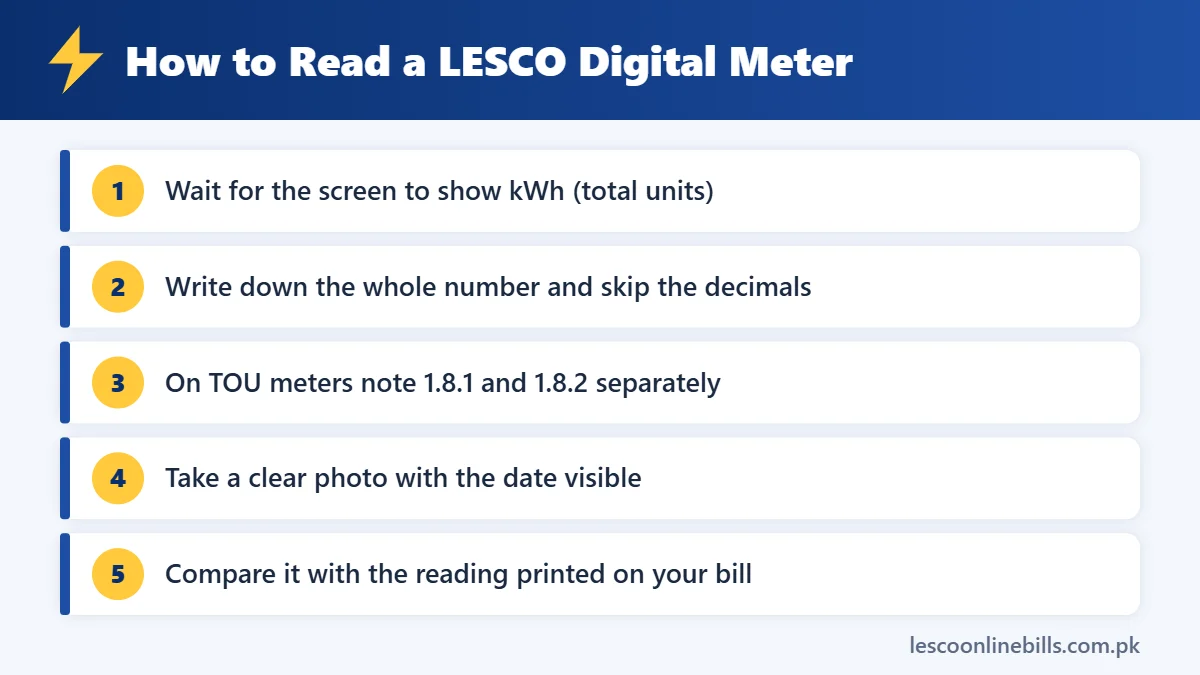
- Stand in front of the meter and watch the display for one full cycle.
- Wait for the screen that shows kWh or the total energy register.
- Write down the whole number. Ignore the digits after the decimal point or in a different colour.
- Check the meter number on the meter body. It should match the meter number printed on your bill.
- Take a clear photo of the display with the date showing on your phone.
Some meters also show MDI (maximum demand indicator) in kW. That value is not your units. It shows the highest load you drew in a short interval, which matters mainly for large or commercial connections.
Three-phase and TOU (peak/off-peak) meter
Connections with a sanctioned load of 5 kW or more use time-of-use (TOU) metering. These meters store separate registers for peak and off-peak units. On many models you will see codes like these:
- 1.8.1 and 1.8.2: units recorded in the two rate periods (peak and off-peak).
- 1.8.0: total units, which equals 1.8.1 plus 1.8.2.
- MDI: maximum demand in kW.
Meter makers do not all label the registers the same way, so do not guess which one is peak. Match each register with the peak and off-peak units printed on your bill. The register that grows faster during the evening is usually the peak register. Our LESCO peak hours guide lists the current peak timings.
Old electromechanical (dial) meter
A few older connections still have a spinning disc meter with a row of number wheels. Read the wheels from left to right. If a wheel sits between two numbers, write the lower number. These meters can slow down with age, so compare your own LESCO meter reading with the bill every month.
How to Calculate Units From Your LESCO Meter Reading
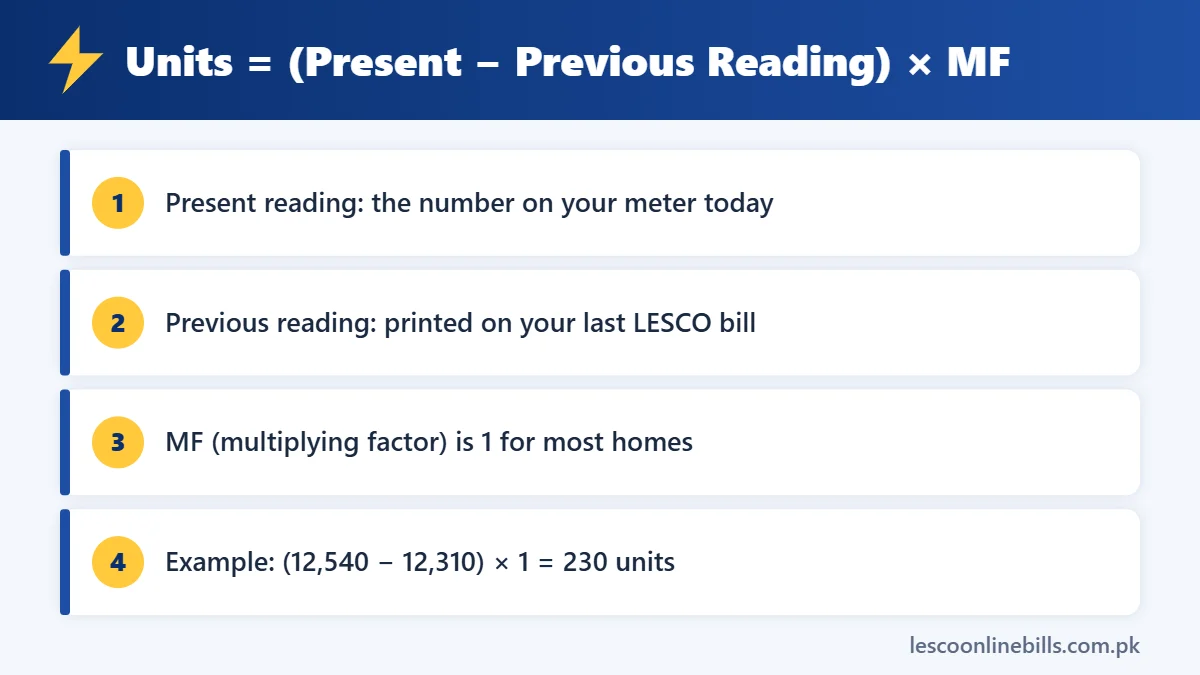
Once you have the present reading, the calculation is simple. Use this formula:
MF is the multiplying factor. It is 1 for almost all domestic meters and higher only on CT-operated meters used for large loads.
Here is a worked example for a typical home:
| Item | Value |
|---|---|
| Present reading (from your meter) | 12,540 |
| Previous reading (from last bill) | 12,310 |
| Difference | 230 |
| Multiplying factor (MF) | 1 |
| Units billed | 230 units |
If your own calculation gives 230 units but the bill shows 290, something is wrong. Either the LESCO meter reading on the bill is higher than the real meter, or the previous reading has been carried forward incorrectly. Both problems can be fixed, as explained below.
Where to Find the LESCO Meter Reading on Your Bill
Every LESCO bill shows the reading details in the same block. Look for these fields:
- Reading date: the date the meter was read this month.
- Previous reading and present reading: the two numbers used to calculate units.
- MF: the multiplying factor.
- Units consumed: the result of the formula.
- Meter photo: a small snapshot of your meter display taken by the reader.
If you have lost the paper bill, download a copy through our LESCO duplicate bill guide or the LESCO bill check online tool. You will need your 14-digit number, so keep our LESCO reference number guide handy. Comparing the bill photo with your own LESCO meter reading is the fastest way to spot an error.
Use your bill history to spot unusual jumps
The bill also lists units for the last 12 months. If your usage is usually 180 to 220 units and one month suddenly shows 340, check the LESCO meter reading for that month first. Our LESCO previous bill guide shows how to pull older bills for comparison.
Submit Your Own Reading With the Power Smart App
In June 2025 the Power Division launched the Power Smart app under the slogan “Apna Meter, Apni Reading”. The aim is to cut wrong readings by letting consumers photograph their own meters. Within weeks, more than one million consumers had signed up across the country.
Here is how self-reading generally works:
- Install the Power Smart app from the official app store and register with your reference number.
- On the scheduled reading date, open the app and take a photo of your meter display.
- Check that the meter number and the kWh value are clear, then upload.
- Your bill is prepared from the photo you uploaded.
Timing matters. If you upload late, your photo may not be used for that cycle, and the normal LESCO meter reading process will apply. Keep a copy of every photo you upload in case you need it for a complaint later.
LESCO Meter Reading Date and Billing Cycle Rules
A normal billing cycle is about 30 days. Problems start when a reading is taken late. For example, a 35-day cycle adds five extra days of use to one bill, which can push a careful household over 200 units.
NEPRA has addressed this repeatedly. In August 2024 it found that distribution companies had misused pro-rata billing, pushing many consumers out of protected and lifeline slabs. It ordered corrected bills within 30 days and no late payment surcharge on the affected amounts. The revised Consumer Service Manual now spells out that units for a longer cycle should be scaled to 30 days for slab purposes, with the remaining units carried forward.
When the meter cannot be read
If the meter reader cannot access your meter because of a locked gate or bad weather, you may send a snapshot of your meter yourself. If no reading is available at all, LESCO issues a provisional bill. Under the manual, that bill is based on the lower of your units for the same month last year or the average of the last 11 months. The difference is adjusted once a real LESCO meter reading is taken.
Wrong LESCO Meter Reading? How to Get It Fixed
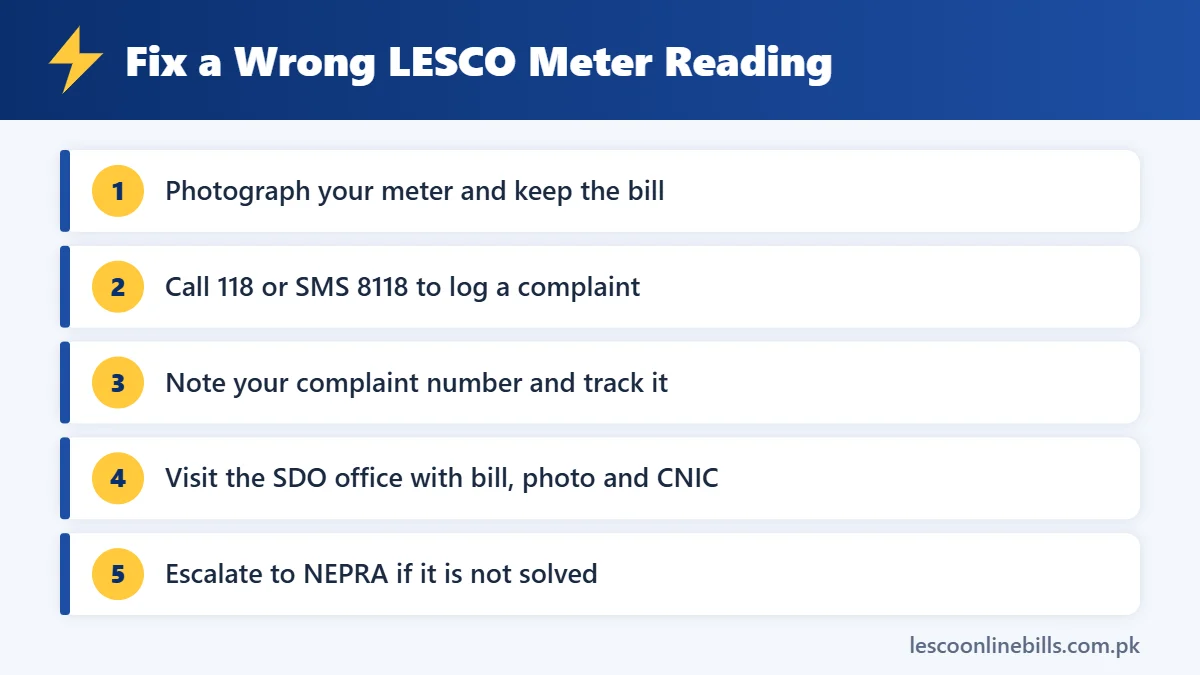
A wrong reading is one of the most common billing problems. The fix is quicker when you act before the due date and keep evidence. Follow this order:
- Collect evidence: take a dated photo of your meter and keep the bill showing the wrong LESCO meter reading.
- Register a complaint: call the 118 helpline or send an SMS to 8118. You can also use the PITC complaint system online. Our LESCO complaint guide lists every official channel.
- Note the complaint number: you will need it to track progress and escalate.
- Visit the sub-division: take the bill, the meter photo and your CNIC to the revenue officer or SDO and ask for a corrected bill.
- Escalate if needed: if the problem is not solved, you can file a complaint on NEPRA’s online complaint system.
If the meter itself seems fast, you can request a meter accuracy check. The manual sets a challenge fee and requires the DISCO to check the meter within a set number of working days in your presence. Excess units are credited back once a fault is proven.
Should you pay the bill while the complaint is open?
Paying late adds a surcharge and can lead to disconnection notices. In practice, many consumers ask the sub-division to issue a corrected bill before the due date, or pay the undisputed amount and keep proof of the complaint. Ask the revenue office which option applies to your case, and check our LESCO bill installment guide if a large amount is involved.
Simple Habits to Track Your Consumption
You do not need special tools to stay in control. A notebook or phone note is enough. These habits make every LESCO meter reading easy to verify:
- Read the meter on the same day each month, close to the reading date on your bill.
- Write the reading and the date, then calculate the units yourself.
- Take a mid-month reading in summer to see if you are heading past 200 units.
- Run heavy appliances like irons, pumps and washing machines outside peak hours.
- Keep the last 12 months of bills, either printed or as PDFs.
Here is a simple log format you can copy:
| Date | My reading | Units since last | Bill reading | Match? |
|---|---|---|---|---|
| 1 Sept | 12,310 | – | 12,310 | Yes |
| 15 Sept | 12,420 | 110 | – | – |
| 1 Oct | 12,540 | 230 | 12,540 | Yes |
Common Mistakes When Checking a Meter
- Reading the wrong screen: noting the voltage, MDI or date screen instead of kWh.
- Including decimals: adding the decimal digits makes your reading look ten times larger.
- Checking the wrong meter: in shared buildings, always match the meter number on the bill.
- Waiting too long: complaints raised after the due date take longer and may carry surcharge.
- Ignoring the reading date: comparing your reading taken ten days later with the bill will never match.
LESCO Meter Reading FAQs
How do I check my LESCO meter reading online?
Download your latest bill from the LESCO bill check page using your 14-digit reference number. The present reading, previous reading, reading date and a photo of your meter are printed on the bill, so you can compare them with your meter at home.
On which date does LESCO take the meter reading?
Each batch of meters is read on roughly the same dates every month. Your reading date is printed on your bill. Note it down and check your meter on the same day so your own figures match the billing cycle.
What happens if LESCO takes the reading after 30 days?
A bill should cover about 30 days. When a cycle runs longer, NEPRA rules require pro-rata billing so extra days do not push you into a higher slab. If your bill shows more than 30 days and a higher slab, file a complaint and ask for pro-rata correction.
Why does the meter photo on my bill not match my meter?
The photo may be blurred, old or from another meter. Take a dated photo of your own meter, compare the meter number and reading, and report the mismatch on 118 or at your sub-division office before the due date.
Can I send my own LESCO meter reading?
Yes. The Power Division Power Smart app (Apna Meter, Apni Reading) lets consumers upload a photo of their meter on the scheduled date. Submit it on time so it can be used for your bill.
What do 1.8.1 and 1.8.2 mean on a LESCO meter?
On time-of-use meters these codes show the units recorded in the two rate periods, peak and off-peak, while 1.8.0 shows the total. Match each register with the peak and off-peak units printed on your bill.
Final Words
An accurate LESCO meter reading is the foundation of a fair electricity bill. Read the kWh value on the right screen, skip the decimals, use the simple units formula and compare the result with the photo on your bill each month. If something does not match, act quickly with a photo, a 118 complaint and a visit to your sub-division. For more help, check your latest bill on our LESCO online bill tool and keep your monthly log up to date.