LESCO MIS 2026: Complete Guide to the Portal, Login and Your Bill
LESCO MIS is the Management Information System of the Lahore Electric Supply Company, and many people land on it while trying to check their electricity bill. They search the name, open the page, and find a staff system they cannot use.
That confusion is very common. This guide explains what the system really is, its official web addresses, who can log in, what reports it holds, and the quickest official way for a normal consumer to see a bill.
Everything here applies to the whole LESCO area: Lahore, Kasur, Okara, Sheikhupura and Nankana Sahib.
Table of Contents
What Is LESCO MIS?
MIS stands for Management Information System. In simple words, it is the computer system where a company collects its working data and turns it into reports for its managers.
LESCO MIS brings together figures the company needs every day: how much was billed, how much was collected through banks, which accounts are in default, and how much electricity is being lost in the system.
Officers at sub-division, division and circle level use these reports to track recovery, plan action against defaulters and compare performance across Lahore and the other districts.
Why LESCO needs a system like this
LESCO bills millions of connections every month, from small homes in Lahore to tube wells in Okara and factories in Sheikhupura. Collecting those figures by hand from every sub-division would take weeks.
A central reporting system lets officers see the same up-to-date numbers in one place, so problems can be spotted and fixed faster.
The MIS and PITC are not the same thing
Many websites mix these two up. PITC (Power Information Technology Company) is the Power Division’s IT company, based in Lahore. It runs the online bill pages for LESCO and the other WAPDA distribution companies at bill.pitc.com.pk.
The MIS, on the other hand, is LESCO’s own reporting system on lesco.gov.pk. Put simply, PITC is where consumers view bills, and the MIS is where officers view reports.
Official LESCO MIS Links and Related Pages
These are the real addresses connected to the MIS and to the consumer bill pages. All of them sit on official domains: lesco.gov.pk and pitc.com.pk.
| Page | Web address | Who it is for |
|---|---|---|
| MIS main page (staff login) | www.lesco.gov.pk/MIS/Default.asp | LESCO staff with an assigned account |
| MIS Reports List | A page titled “MIS Reports List” on lesco.gov.pk | Mainly LESCO staff |
| Customer Bill (LESCO website) | lesco.gov.pk, then Customer Services, then Customer Bill | All consumers |
| LESCO web bill (PITC) | bill.pitc.com.pk/lescobill | All consumers |
| LESCO SMS registration | lesco.gov.pk/customer_reg/registration.asp | Consumers who want SMS alerts |
Type these addresses yourself or open them from the LESCO homepage. Do not trust “LESCO MIS login” links shared on WhatsApp groups or unknown blogs.
Government websites are sometimes rebuilt, so page addresses can change. If one stops working, start again from the official homepage and look for the MIS or Customer Services links.
On a phone, some older LESCO pages may not fit the screen well. Turn your phone sideways or choose “Desktop site” in your browser menu.
Who Can Log In to LESCO MIS?
LESCO officers and staff
LESCO MIS is meant for employees. Access is controlled by LESCO, and staff typically see only the reports that their job and office need.
If you work at LESCO and cannot sign in, contact the computer or IT staff at your own office for help. Never ask strangers online to share a login, and never share yours.
Ordinary consumers
We could not find any public sign-up option for consumers on the MIS. The good news is that you do not need one, because viewing, printing and paying your bill all work without any login.
So if a site asks you to “register for MIS” to see your bill, it is not the official system. Close it and use the official bill page instead.
Students, journalists and researchers
Some people search for the MIS because they need data on LESCO’s performance for an assignment or a news story. The internal reports are not public, but there are official places to look.
Check the “Reports and Data Sheets” section on lesco.gov.pk, and read NEPRA’s yearly Performance Evaluation Report for distribution companies, which covers LESCO along with the other DISCOs.
What Reports Does the MIS Show?
The full menu is visible only after login, and LESCO can change it at any time. Based on menu lists published by other guides, LESCO MIS reports fall into these main groups.
- Daily reports: cash collection summary, cash posting summary, billing statistics, general billing status and daily recovery status.
- Defaulter reports: defaulter summaries by amount and age, and defaulter lists.
- Line losses: monthly progressive loss figures.
- Revenue: collection against monthly billing, receivables, and government collection against assessment.
- Monitoring: court cases, “same to same” meter reading lists, and high-load connections with very low use.
These reports help officers spot problems such as unpaid bills, high losses, or meters that show the same reading month after month.
None of this is personal data you can open yourself. If you only want to know whether your own bill is cleared, follow our LESCO bill paid or not guide instead.
How LESCO MIS Reports Affect You as a Consumer
You will never log in to the system, but its numbers still shape what happens in your area. Here are three simple examples.
Recovery drives and defaulter lists
Defaulter reports show which accounts have unpaid bills and for how long. LESCO uses this kind of data in its recovery campaigns, and it regularly announces how much it has recovered from defaulters in a single day.
If you have old arrears, clear them or talk to your sub-division office about a payment plan before the account reaches a disconnection list.
Meter readings that never change
A “same to same” reading list flags meters that show the same reading month after month. That can point to a stuck meter, a locked house, or readings that were not taken properly.
Protect yourself by comparing the meter picture printed on your bill with your actual meter every month. If the numbers do not match, report it to your sub-division office quickly.
Line losses in your area
Line loss reports show how much electricity is lost through theft and weak lines in each part of the network. These figures help LESCO decide where to focus inspection and anti-theft work.
Paying on time and reporting electricity theft does not only help LESCO. It also helps every honest family on your street.
How to Check Your LESCO Bill Without MIS
Most people who search for LESCO MIS simply want their monthly bill. Here is the official way to get it in under a minute, with no login and no fee.
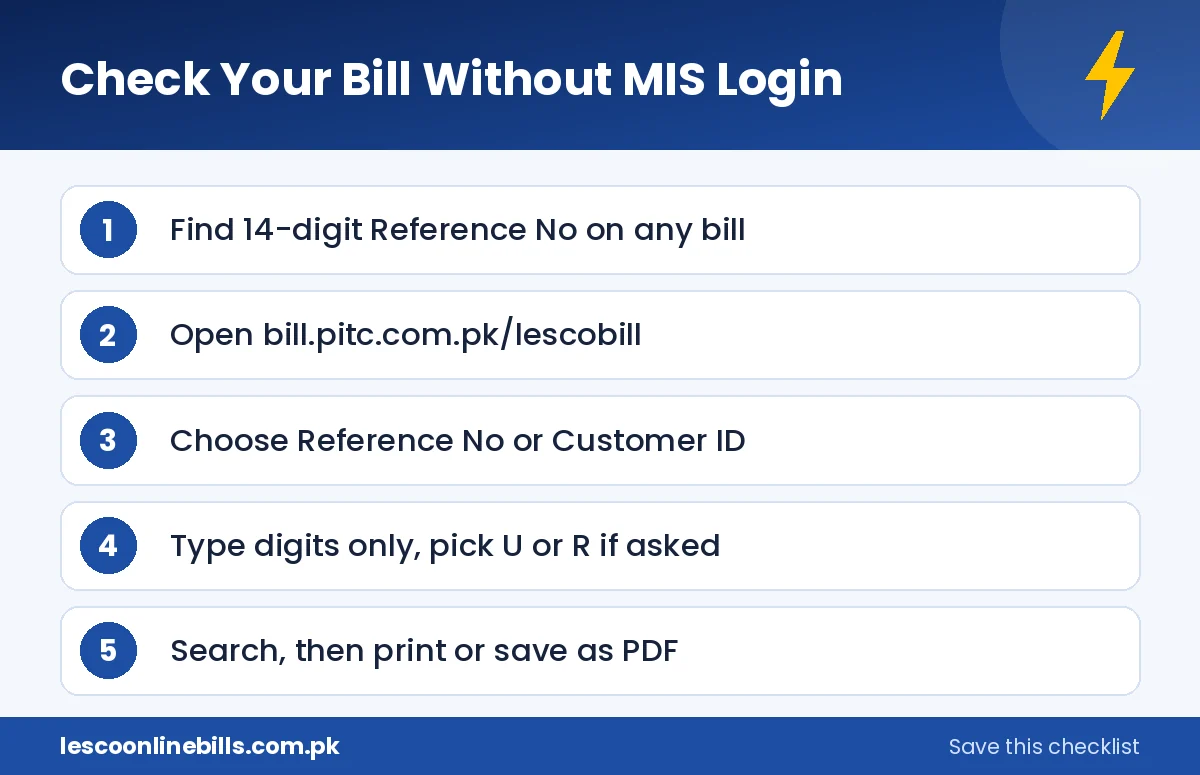
Before you start, keep any old LESCO bill, a bank receipt or a photo of your bill nearby. All of them show the reference number you need.
Option 1: PITC LESCO web bill page
- Take any LESCO bill and find the 14-digit Reference No in the top-left box.
- Open the official PITC LESCO web bill page.
- Choose “Reference No” (or “Customer ID”) and type the number without spaces or dashes.
- If the page asks for U or R, pick the letter printed after your number, then press Search.
- Check the amount and due date, then print the bill or save it as a PDF.
Lost the number? Our LESCO reference number guide shows several ways to find it. The Customer ID method is covered in our LESCO bill by Customer ID guide.
Option 2: Customer Bill link on the LESCO website
Open lesco.gov.pk, go to Customer Services and click Customer Bill. It also asks for your reference number or Customer ID, not an MIS login.
Option 3: Our bill check tool or the mobile app
Enter your reference number in the free bill check tool on our homepage. If you prefer your phone, the official LESCO Light app is explained in our LESCO bill check app guide.
Option 4: JazzCash, Easypaisa or your bank app
Go to Bill Payment, choose Electricity, select LESCO and enter the 14-digit reference number. The app shows the current amount and due date before you pay.
Bonus: register for LESCO SMS updates
The LESCO website also has an SMS registration page, listed in the table above, where you can register your mobile number for SMS updates. The form asks for your connection details, so keep a bill nearby when you fill it in.
LESCO MIS vs Consumer Bill Pages: Quick Comparison
This table shows at a glance why the MIS is the wrong place for a normal bill check, and which page you should use instead.
| Point | MIS (staff system) | PITC web bill / Customer Bill |
|---|---|---|
| Main users | LESCO officers and staff | Every consumer |
| Login | Staff account issued by LESCO | No login |
| What you enter | Staff login details issued by LESCO | 14-digit reference number or Customer ID |
| What you see | Billing, collection, defaulter and loss reports | Your own bill, amount, due date and units |
| Print or PDF of your bill | Not meant for this | Yes |
| Cost | Internal system | Free |
In short, LESCO MIS answers questions for the company, while the bill pages answer questions for you. Use the right tool and you will save a lot of time.
LESCO MIS Not Working? Common Errors and Fixes
Older government pages can be slow or go offline for maintenance. Here is what the common messages mean and what to do when LESCO MIS or the bill page does not open.
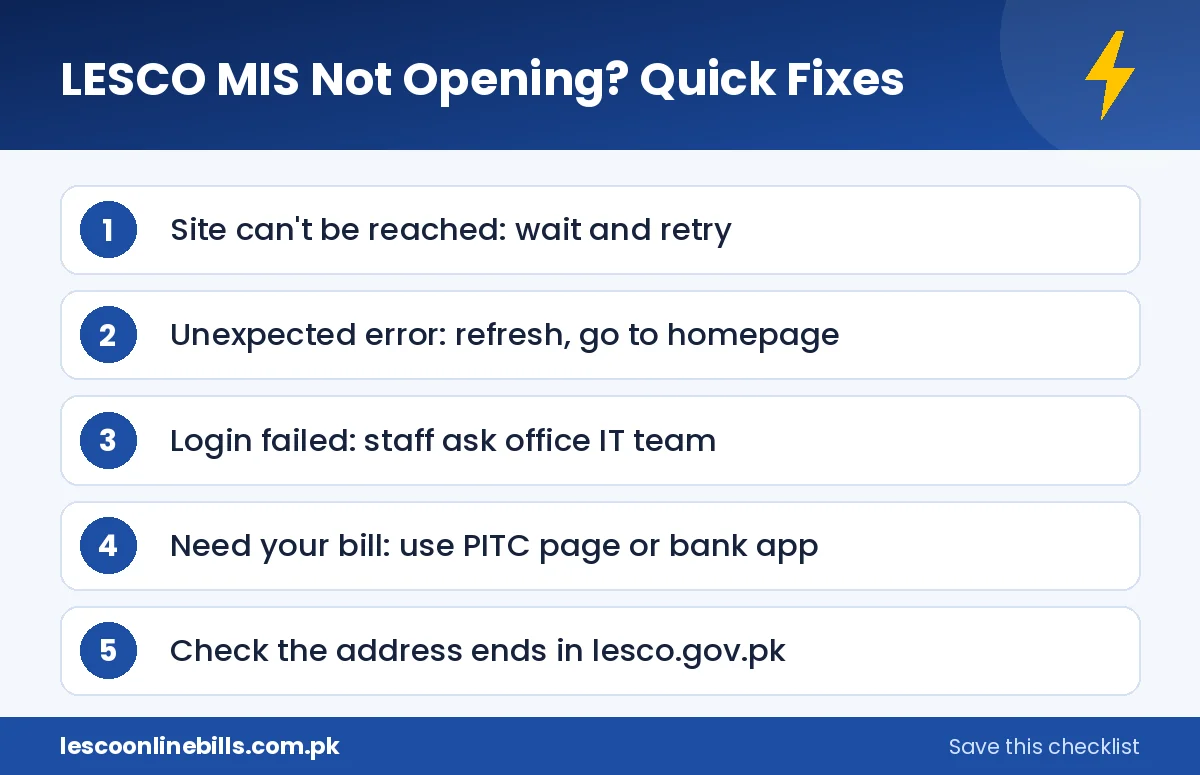
- “This site can’t be reached” or “Connection timed out”: the server is down or busy. Wait and try again later. If you only need your bill, use the PITC page or a bank app.
- “An unexpected error has occurred”: the LESCO website has shown this message at times. Refresh, or open the homepage and navigate again.
- “Not secure” label in the browser: some older pages open on plain http. Check that the address really ends in lesco.gov.pk before you type anything.
- Login failed or invalid user: only staff accounts work. Employees should ask their office IT staff to check or reset the account.
- No bill appears after Search: a digit is usually wrong or missing. Enter all 14 digits of the reference number, with no spaces.
- Very slow near due dates: bill pages get heavy traffic around issue and due dates. Try early morning or late at night.
- Bill page shows last month: your new bill may not be issued yet. Bills are prepared batch by batch, so neighbours can get them on different days. Check again after a day or two.
Fake MIS Websites: How to Stay Safe
Search for LESCO MIS and you will find many blogs with the name in their title or web address. Most of them are private websites with no link to LESCO.
- Official LESCO pages end in lesco.gov.pk. Official bill pages end in pitc.com.pk.
- Never enter a staff password on any site that only looks like LESCO.
- Never share an OTP, PIN or card number just to see a bill. Bill checks are free.
- Be careful with sites offering an “MIS account for consumers”. You do not need any account to check or pay a bill.
When in doubt, open the official LESCO homepage yourself and follow its links. This one habit protects you from almost every fake LESCO MIS page.
To understand how LESCO’s circles, divisions and sub-divisions are organised, see our LESCO office guide.
LESCO MIS FAQs
What is LESCO MIS?
LESCO MIS is the Management Information System of the Lahore Electric Supply Company. Officers use it to view reports on billing, collection, defaulters and line losses.
What is the LESCO MIS website address?
The MIS section is on the official LESCO website at www.lesco.gov.pk/MIS/Default.asp. If the address changes, open lesco.gov.pk and look for the MIS link.
Can consumers log in to the MIS?
Not as an ordinary consumer. LESCO MIS is a staff system with accounts issued by LESCO. Consumers do not need a login, because bill checks work with just a reference number.
Can I check my bill through LESCO MIS?
Not as a consumer. Use the official PITC LESCO web bill page or the Customer Bill link on lesco.gov.pk, and enter your 14-digit reference number or Customer ID.
What should I do if the MIS page is not opening?
Wait and try again later, because the server may be down or under maintenance. For your bill, use the PITC page, our homepage tool, or a bank or wallet app in the meantime.
Is LESCO MIS the same as the PITC bill website?
No. PITC runs the online bill pages for LESCO and other WAPDA companies. The MIS is LESCO’s own internal reporting system for its officers.
How do LESCO employees get an MIS login?
Accounts are issued by LESCO, normally through the employee’s own office. Staff with login problems should speak to the IT staff at their office rather than any outside website.
Final Words
LESCO MIS is a useful tool for LESCO’s officers, but it is not where consumers check bills. For your own bill, all you need is the 14-digit reference number. Try it now with the free bill check tool on our homepage.
LESCO Online Bills is an independent guide and is not affiliated with LESCO or PITC. For official services, visit lesco.gov.pk.