LESCO New Connection Tracking: How to Check Your Application Status Online
You have applied for a new electricity connection, paid for the forms and waited. Now the only question is: where is my meter? LESCO new connection tracking lets you see exactly where your application is, so you can stop guessing and take action when something needs your attention.
This guide shows every way to track a LESCO new connection, what each stage means, how long it usually takes and what to do when your file gets stuck. If you have not applied yet, read our LESCO new connection guide first.
Table of Contents
What Is LESCO New Connection Tracking?
When you apply for a new connection through the ENC (E-New Connection) system, your application gets a tracking ID. That ID follows your file through every step: verification, site survey, demand notice, payment and installation.
LESCO new connection tracking simply means using that ID, or the applicant’s CNIC, to check the latest status online. It saves trips to the sub-division and shows you when you need to act, for example when the demand notice is ready to pay.
The ENC portal is the official system linked from the LESCO website under Customer Services, next to services like bill check and complaints.
What You Need for Tracking
- Tracking ID: the number you received after submitting your application.
- Or the applicant’s CNIC: 13 digits, written without dashes.
- A phone or computer with internet access.
- Your application receipt, in case you need to visit the office.
Use the CNIC of the person whose name is on the application, not the person who filled the form. Many people try their own CNIC when they applied for a parent and then think the file has disappeared.
LESCO New Connection Tracking Online: Step by Step
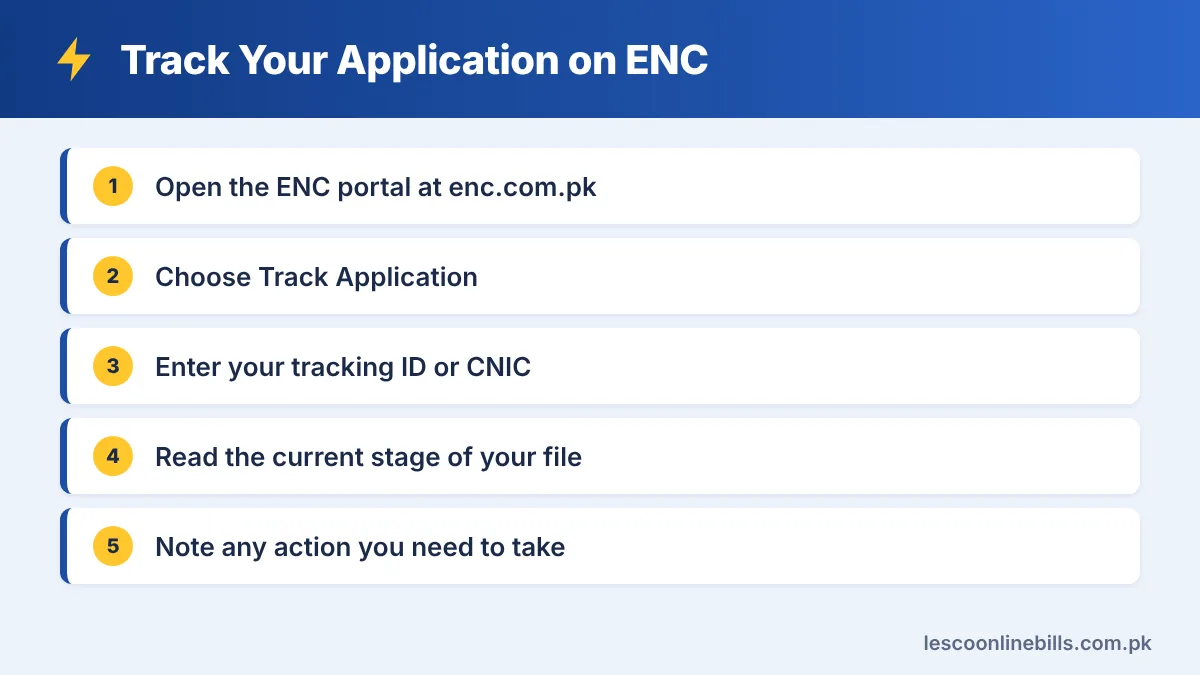
- Open the ENC portal at www.enc.com.pk.
- Select the option to track your application.
- Choose your distribution company (LESCO) if asked.
- Enter your tracking ID, or the applicant’s CNIC without dashes.
- Submit and read the current status.
- If the demand notice is ready, print it and pay it before the last date.
Do LESCO new connection tracking every few days rather than every hour. Changes usually happen after field work, which takes time.
LESCO New Connection Tracking: What Each Stage Means
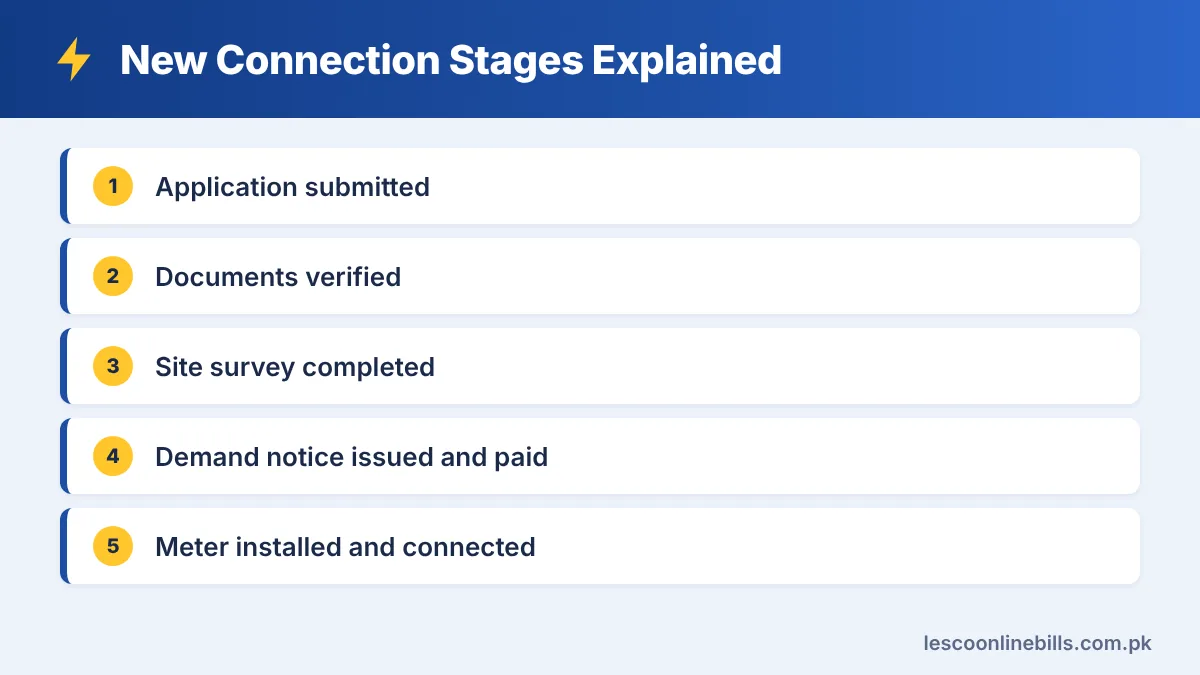
The exact wording on the portal can change, but most applications pass through these stages:
| Stage | What it means | What you should do |
|---|---|---|
| Submitted | Your application has been received | Keep your tracking ID safe |
| Documents verified | LESCO has checked your papers | Respond quickly if anything is missing |
| Survey completed | Staff have checked the site and distance to the pole | Wait for the demand notice |
| Demand notice issued | Your charges are ready | Print and pay before the last date |
| Demand notice paid | Payment has been recorded | Submit or upload proof if asked |
| Meter installed | Your connection is installed | Save your new reference number |
The demand notice stage is where most people get stuck. Our detailed LESCO demand notice guide explains how to print it, check the charges and pay.
Other Ways to Track Your Application
1. ENC Portal
The fastest and most reliable method of LESCO new connection tracking. It works on mobile browsers too, so you do not need a computer.
2. LESCO Helpline 118
Call 118 and give the applicant’s name, CNIC and tracking ID. Ask which stage the application is in and what is pending. Our LESCO helpline guide lists other numbers and the best times to call.
3. Sub-Division Office
Visit the sub-division where you applied with your receipt and CNIC copy. Staff can tell you if a survey is scheduled or a document is missing. Find the right office in our LESCO office guide.
4. SMS and Calls
Keep the mobile number on your application switched on, because SMS and calls support LESCO new connection tracking. LESCO staff may call before the site survey, and missing that call can delay your file.
5. Online Complaint
If your file is stuck without reason, a written complaint creates a record and often speeds things up. See our LESCO complaint guide.
LESCO New Connection Tracking by CNIC
Lost your tracking ID? You can still do LESCO new connection tracking with the applicant’s CNIC. Enter all 13 digits without dashes or spaces. If the application was made in your father’s or mother’s name, use their CNIC, not yours.
If the CNIC search shows more than one application, for example an old request and a new one, open each one and check the address and date to find the right file. If the CNIC search shows nothing, the application may have been entered with a typing mistake. Visit the sub-division with the applicant’s original CNIC and your receipt to get it corrected.
LESCO New Connection Tracking on Mobile
You do not need a computer. The ENC portal opens in any mobile browser such as Chrome. A few tips make LESCO new connection tracking easier on a phone:
- Save the portal link to your home screen for one-tap access.
- Copy your tracking ID into your phone notes so you can paste it without typing mistakes.
- Take a screenshot of each status page with the date visible.
- Download the demand notice as a PDF when it appears, then print it at any shop.
Tracking Three Phase and Commercial Connections
Three phase homes, shops and offices follow the same steps, but their files can take longer because the load is higher and the site survey may need more checks, a bigger cable or transformer capacity. LESCO new connection tracking works the same way for these applications: enter the tracking ID or CNIC and read the stage.
If the status says the survey is complete but the demand notice is slow, ask the sub-division whether network work, such as a transformer upgrade, is needed before LESCO can issue charges. Knowing this early helps you plan.
Sample Follow-Up Message for 118 or the Office
When you call or visit, a clear request gets a faster answer. You can use this simple script:
Write down the name of the person you spoke to, the date and the answer. If you have to complain later, these notes and your screenshots from LESCO new connection tracking make your complaint much stronger.
How Long Does a LESCO New Connection Take?
There is no single answer, because timing depends on several factors:
- Your documents: a complete, clear file moves much faster.
- Site survey: busy sub-divisions take longer to send staff.
- Distance from the pole: long service lines or new poles need extra work.
- Meter stock: shortages of smart meters can delay installation.
- Season: summer demand often slows field work.
Use LESCO new connection tracking regularly so you notice quickly when a step is waiting for you. A demand notice that sits unpaid for weeks is the most common self-made delay.
Why Your LESCO New Connection Is Delayed
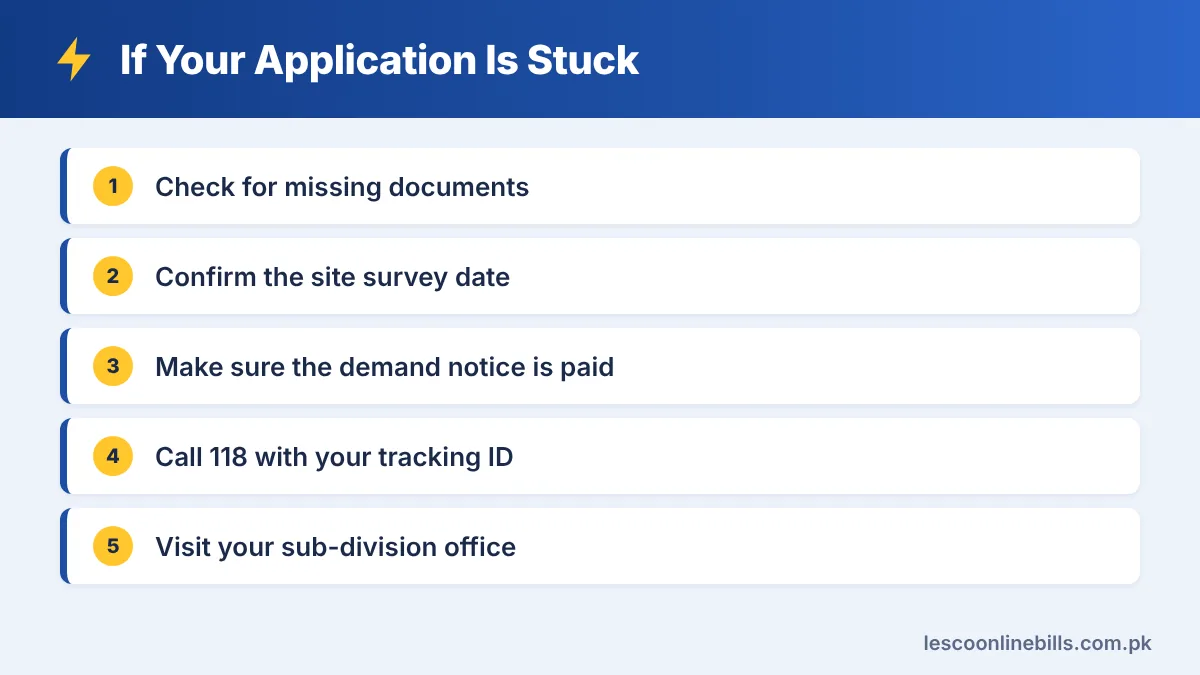
| Problem shown or suspected | Likely cause | Fix |
|---|---|---|
| Stuck at submitted | Documents not checked or incomplete | Call 118 or visit the office to confirm |
| Stuck before survey | Survey team not assigned | Ask the sub-division for a visit date |
| Demand notice not showing | Survey report pending | Check again in a few days, then follow up |
| Paid but no progress | Payment not yet verified | Submit the paid copy at the office |
| Meter not installed | Meter shortage or field workload | Ask about expected dates and approved options |
Tips to Speed Up Your LESCO New Connection
- Submit complete, clear and attested documents the first time.
- Apply for the correct load and connection type.
- Keep your phone on and answer unknown numbers during the survey period.
- Keep the site ready: wiring tested and the meter location accessible.
- Pay the demand notice as soon as it is issued.
- Submit the paid copy if your sub-division asks for it.
- Follow up politely and keep notes of every call and visit.
Choose your load carefully, because it also affects your monthly bill. Since 2026, many homes pay fixed charges based on sanctioned load; see LESCO fixed charges before deciding.
After Installation: Your First Steps
When tracking shows your meter is installed, your connection gets a 14-digit reference number. Do these things straight away:
- Save the reference number. Our LESCO reference number guide shows where to find it.
- Register your mobile number for bill alerts with our LESCO SMS registration guide.
- Learn how the new smart meter works in our LESCO smart meter guide.
- Check your first bill on our LESCO bill check page when it is issued.
LESCO New Connection Tracking for Offline Applications
If you applied by hand at the sub-division instead of online, your application should still be entered in the system, and you should get a receipt with an application or tracking number. Ask the office for that number and try LESCO new connection tracking on the ENC portal with it, or with the applicant’s CNIC.
If the portal shows nothing after several days, ask the office to confirm that your file was entered. Keep a photocopy of every page you submitted.
Tracking a Load Extension or Category Change
Load extension and some other requests also go through a similar online system and produce their own tracking numbers and demand notices. The tracking steps are the same: enter the ID or CNIC and read the stage. Our LESCO load extension guide explains that process in detail.
What to Do If the Portal Is Not Opening
Sometimes the ENC portal is slow or temporarily down, especially at busy times. Try again later in the day, switch between mobile data and Wi-Fi, or open it in a different browser. Clear the browser cache if the page keeps loading forever, and check that you typed the address correctly. If LESCO new connection tracking still does not work after a day, call 118 with your tracking ID so you do not miss an important step such as the demand notice.
Beware of Agents and Fake Tracking Sites
Many people pay agents to “speed up” a new connection. This is risky and usually unnecessary. Follow these rules:
- Use only the official ENC portal or the link on the LESCO website for LESCO new connection tracking.
- Never share your CNIC photos or tracking ID with strangers on social media.
- Pay only the official demand notice at the bank or official online channel.
- Report anyone asking for extra money to the 118 helpline.
LESCO New Connection Tracking Checklist
- Tracking ID saved in your phone and on paper.
- Applicant’s CNIC number ready.
- Status checked every few days on ENC.
- Survey call answered and site ready.
- Demand notice printed, checked and paid on time.
- Paid copy submitted if requested.
- Reference number saved after installation.
Common LESCO New Connection Tracking Mistakes
- Searching with the wrong CNIC (yours instead of the applicant’s).
- Adding dashes to the CNIC number.
- Typing an extra or missing digit in the tracking ID.
- Waiting for a call instead of checking the portal.
- Ignoring a demand notice that is ready to pay.
Why Online Tracking Is Better Than Waiting
Before online tracking existed, most people had to visit the sub-division again and again just to ask about their file. LESCO new connection tracking puts that information on your phone. You can see when the survey is done, when the demand notice appears and when installation is complete, without leaving home or taking time off work.
It also protects you. When you can see the official status yourself, it is much harder for anyone to claim that your file needs “extra fees” to move forward. A screenshot of the status page is also useful evidence if you ever need to file a complaint about a delay.
Keeping Records for Your New Connection
Create a small folder, on paper or in your phone, for your new connection. Keep the application receipt, copies of documents, the tracking ID, screenshots of each status change, the demand notice, the bank receipt and the date of installation. These records help if there is a dispute later about charges, the security deposit or the date your connection started.
When the connection is installed, add the 14-digit reference number and your first bill to the same folder. You will thank yourself later when you need a duplicate bill, a name change or a refund.
LESCO New Connection Tracking FAQs
How can I track my LESCO new connection?
Open the ENC portal at enc.com.pk, choose the tracking option and enter your tracking ID or your 13-digit CNIC without dashes. The page shows your current stage, such as survey, demand notice or installation.
Where do I get my tracking ID?
You receive a tracking ID when you submit your new connection application online. It may also be written on the receipt you get at the sub-division. Save it in your phone, because you need it for tracking and printing the demand notice.
Can I track my LESCO new connection without a tracking ID?
Yes. On the ENC portal you can usually search with the applicant’s CNIC number. You can also call 118 or visit your sub-division office with the applicant’s CNIC.
How long does a LESCO new connection take?
It depends on your documents, the site survey, meter stock and workload in your area. A complete file with a quick survey moves much faster. Track the status every few days and act quickly when a step needs you.
My status has not changed for weeks. What should I do?
Check for missing documents, confirm the survey and demand notice payment, then call 118 or visit your sub-division with your tracking ID. If there is still no progress, file a written complaint.
What happens after the meter is installed?
Your connection gets a 14-digit reference number, and the first bill comes in the next billing cycle. Save the reference number so you can check and pay bills online.
Final Words
LESCO new connection tracking puts you in control of your application. Open the ENC portal, enter your tracking ID or the applicant’s CNIC, and read the current stage. Act quickly when the demand notice is ready, keep your documents complete and follow up through 118 or your sub-division if the file stops moving. With regular tracking, most delays can be spotted and fixed early, and your meter arrives sooner.