LESCO Bill Check by Serial Number 2026: Easy Guide (What Works)
People search for LESCO bill check by serial number every day, but most of them are holding a bill or standing near a meter and are not sure which number to type. The bill shows five or six different numbers, and the official page will not open the bill with the one they tried.
This guide explains it in plain words. You will learn what “serial number” really means on a LESCO bill, which numbers the official checker accepts, where each one is printed, and what to do if you only have a meter number or an old bill.
The steps are the same for homes, shops and tube wells across Lahore, Kasur, Okara, Sheikhupura and Nankana Sahib.
Table of Contents
What “Serial Number” Means on a LESCO Bill
When someone tries a LESCO bill check by serial number, they usually mean one of three different numbers. The mix-up is normal, because your bill and your meter carry several codes, and none of them appears as “serial number” on the official search page.
1. The meter serial number
Every electricity meter has its own number stamped or printed on its body by the maker. The same number is shown on your bill as the meter number, usually in the meter reading table next to the previous and present readings.
This number belongs to the meter, not to your account. If LESCO replaces a faulty meter, the meter number changes but your connection and reference number stay the same. That is why the online system does not use it.
2. The last 7 digits of your reference number
Your reference number is printed in three groups of 2, 5 and 7 digits, followed by the letter U or R. Some people call the last 7-digit group the “consumer serial”, because it identifies your connection inside your sub-division.
That group alone is not enough. The checker needs all 14 digits together, so always copy the full number. Our LESCO reference number guide explains what each group means.
3. The Customer ID
The Customer ID is a shorter number printed close to the reference number. Some readers call it their “serial” or “account number”. Unlike the meter number, this one does work on the official page. If this is what you meant by a LESCO bill check by serial number, you are already on the right track.
Can You Do a LESCO Bill Check by Serial Number Online?
Short answer: not with the meter serial number. The official LESCO web bill page is run by PITC (Power Information Technology Company), the Power Division’s IT company based in Lahore. It offers only two search options: Reference No and Customer ID.
So a true LESCO bill check by serial number is not available on any official channel. What you can do is check with the right number, which you can usually find on a bill, an old receipt or your banking app within a few minutes.
The good part is that the reference number works everywhere: the official page, our homepage tool, JazzCash, Easypaisa and every banking app that offers electricity bill payment.
Why the official system uses the reference number
Your bill is linked to your connection account, not to the meter on the wall. Meters get replaced after faults, upgrades or the move to newer smart meters, but the account and its reference number carry on.
If bills were searched by meter number, every meter change would break the search. That is the simple reason a LESCO bill check by serial number is not offered, while the reference number always leads to your current bill.
Where to Find Each Number on Your LESCO Bill
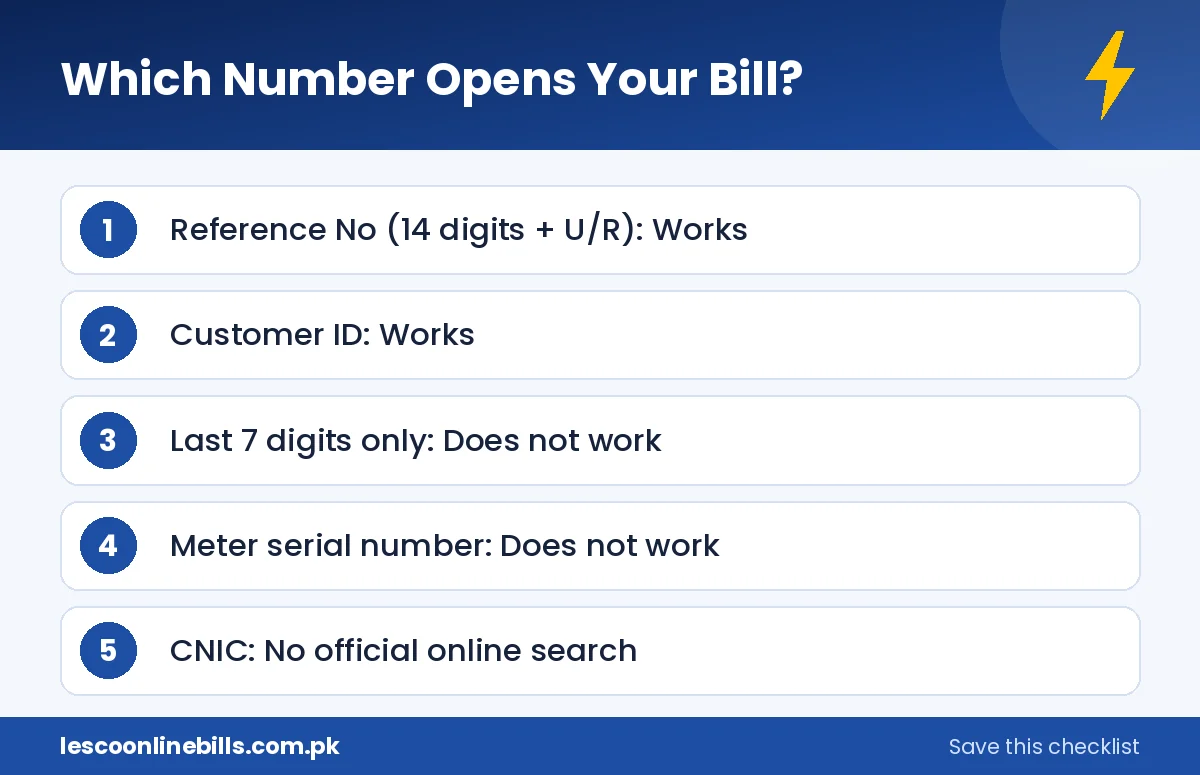
Before you try a LESCO bill check by serial number again, take your paper bill and look at the top section first. This table lists every number people confuse, where it sits, and whether it can open your bill online.
| Number | Where you find it | What it looks like | Opens your bill online? |
|---|---|---|---|
| Reference No | Top-left box of the bill, labelled “Reference No” | 14 digits in groups of 2, 5 and 7, then U or R | Yes (best option) |
| Customer ID | Top section, near the reference number | Shorter than the reference number | Yes |
| Last 7 digits of reference | Inside the reference number | 7 digits | No, only as part of the full 14 digits |
| Meter number (meter serial) | Meter reading table on the bill, and on the meter body | Maker’s serial number | No |
| CNIC number | Your ID card | 13 digits | No official online search |
If the top of your bill is torn or faded, look at the bank copy at the bottom. The reference number is normally printed there as well, because banks need it to post your payment.
LESCO Bill Check by Serial Number: Step-by-Step With the Right Number
Since the meter serial will not work, the fastest way to finish your LESCO bill check by serial number search is to switch to the reference number or Customer ID. Follow one of these three methods.
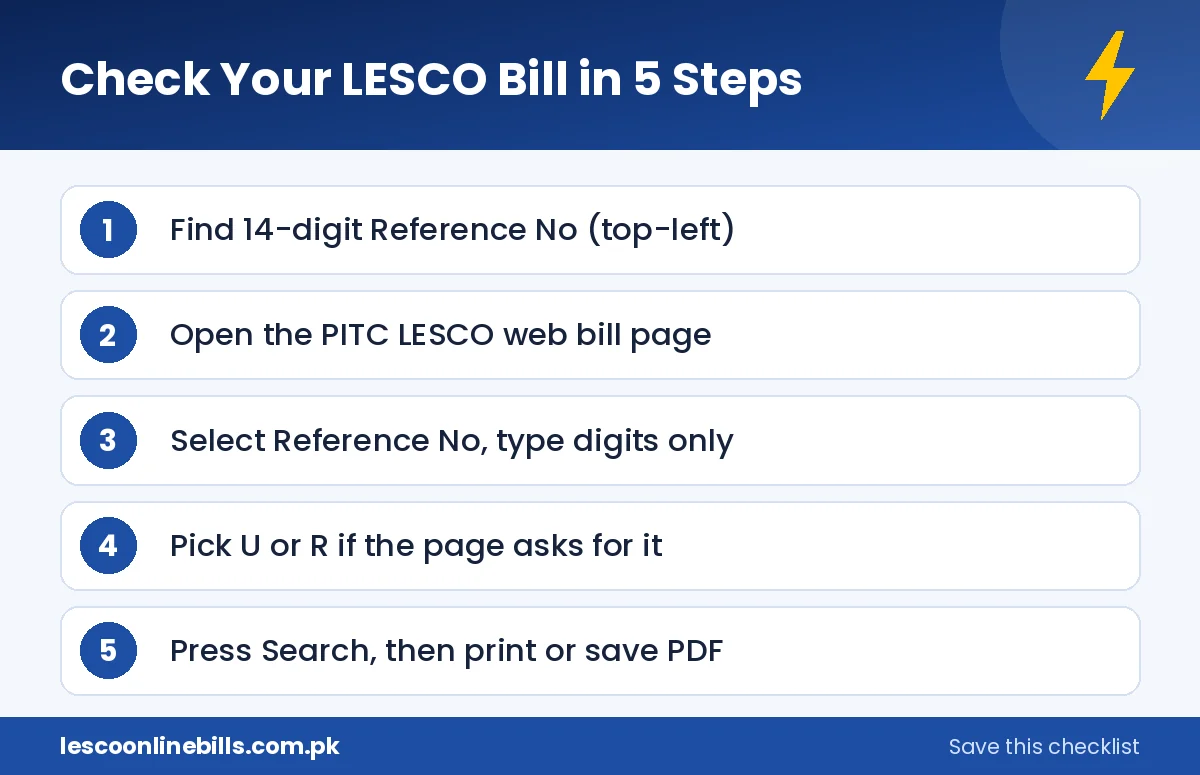
Method 1: Check by reference number
- Find the 14-digit Reference No in the top-left box of any LESCO bill.
- Open the official PITC LESCO web bill page or the bill check tool on our homepage.
- Select “Reference No” and type the 14 digits with no spaces or dashes.
- If the page asks for U or R, pick the same letter that is printed after your number.
- Press Search. Your latest bill opens with the amount, due date and units.
- Use the print option to save the bill as a PDF or take a printout.
Method 2: Check by Customer ID
If your reference number is hard to read but the Customer ID is clear, select “Customer ID” instead of “Reference No”. Type it exactly as printed and press Search. Full steps are in our LESCO bill by Customer ID guide.
Method 3: Check inside JazzCash, Easypaisa or your bank app
Open Bill Payment, choose Electricity, select LESCO and enter the 14-digit reference number. The app shows the current amount and due date before you pay anything.
These apps do not accept a meter serial number either, so a LESCO bill check by serial number will not work there. If you saved LESCO as a biller before, the reference number is already stored in the app, which is handy when the paper bill is missing.
What to Do If You Only Have the Meter Serial Number
This is the real problem behind most LESCO bill check by serial number searches. You may be a new tenant, the bill may not have arrived, or the paper got lost. Try these options in this order.
- Check old payment proofs. Bank or ATM receipts, JazzCash or Easypaisa history, and saved billers all show the reference number.
- Search your SMS and email. Type “LESCO” in your inbox. Payment confirmations often include the reference number.
- Look near the meter. In some houses the reference number is written on or beside the meter box. Use it, but confirm it against a bill when you can.
- Ask the owner or landlord. Whoever paid the last bill will have the number on a receipt or in their app.
- Visit your LESCO sub-division office. Take your original CNIC, the full address of the property and a clear photo of the meter showing its number. Staff can trace the connection and give you the reference number or a printed copy of the bill.
- Call the 118 helpline. The Power Division’s free 118 helpline can guide you to the right office.
There is no official online search by CNIC either. Our LESCO bill check by CNIC guide explains why and lists safe workarounds.
What If You Only Have an Old Bill?
An old bill solves the LESCO bill check by serial number problem completely. Your reference number normally stays the same month after month, so the number on a bill from last year will usually open this month’s bill too.
Type the 14 digits from the old bill into the official page and the current bill will appear. If you want a fresh copy to print or submit somewhere, see our LESCO duplicate bill guide.
An old number may fail if your connection was re-registered, for example after a change handled as a new account. In that case, ask your sub-division office for the current number.
Checking a Bill for a Rented House, Shop or Family Home
Many people try a LESCO bill check by serial number because the bill is not in their name. Tenants, shopkeepers and families living abroad often know the meter, but not the account behind it.
- Tenants: Ask the owner for a photo of the top part of any old bill and save the reference number in your phone contacts.
- Shops and plazas: Each meter has its own reference number. In a building with many meters, match the meter number on the bill with the meter on the wall before you pay.
- Families abroad: Ask someone at home to send the reference number once. After that, you can check the bill from anywhere on the official page.
Your meter serial number is still useful in one way. After you search by reference number, compare the meter number shown on the bill with the one on your meter. If they match, you have opened the right bill.
That is the smart way to use the serial number, even though a direct LESCO bill check by serial number is not possible.
Common Mistakes and Quick Fixes
Most failed searches come from small typing problems, not from the system. Go through this list before you give up on a LESCO bill check by serial number or reference number.
- Meter number typed in the reference box. The search will fail every time. Switch to the 14-digit reference number.
- Only the last 7 digits entered. The checker needs the full 14 digits, starting from the 2-digit batch group.
- Spaces, dashes or the letter typed in. Enter digits only. Choose U or R separately if the page asks for it.
- Wrong U or R letter. Pick the exact letter printed after your number on the bill.
- Customer ID entered under “Reference No”. Each number has its own option. Select the matching one first.
- Digits misread from a faded bill. Numbers like 3 and 8, or 1 and 7, are easy to confuse. Compare with the bank copy at the bottom.
- Page slow or not loading. The bill pages get busy around issue and due dates. Wait a while, try early morning, or use your bank app.
Be Careful With Sites Promising a Serial Number Search
Some websites claim to offer a LESCO bill check by serial number or by meter number. Many of them only send you to the same official page, and some ask for your phone number, CNIC or even a one-time code.
Checking a LESCO bill is free and needs only your reference number or Customer ID. Never share an OTP, PIN or card details just to view a bill.
If any site shows a bill against a meter serial number, match the name, address and amount with a paper bill before you pay. A payment against the wrong reference number goes to someone else’s account.
If your meter is burnt, slow or showing a blank display, our LESCO meter change guide explains how to get it replaced and who pays.
LESCO Bill Check by Serial Number FAQs
Can I do a LESCO bill check by serial number?
Not with the meter serial number. The official page accepts only the 14-digit reference number or the Customer ID. Find either one on your bill and the check works instantly.
Is the meter number the same as the reference number?
No. The meter number identifies the meter itself and changes if the meter is replaced. The reference number identifies your connection and is the number used for bill checks and payments.
Where is the serial number on a LESCO bill?
If you mean the meter serial, it appears as the meter number in the meter reading table. If you mean the number for checking your bill, use the Reference No in the top-left box.
How many digits does a LESCO reference number have?
It has 14 digits, printed in groups of 2, 5 and 7, followed by the letter U or R. Online, type the 14 digits without spaces.
Will the number on an old bill still work?
Usually yes. The reference number normally stays the same for your connection, so an old bill can open the current one. If it fails, your sub-division office can confirm the current number.
Can a LESCO office find my bill from the meter number?
Yes, staff at your sub-division office can usually trace your connection using the meter number, the property address and your CNIC, and then give you the reference number. This is the closest thing to an official LESCO bill check by serial number, but it happens at the office, not online.
Is a LESCO bill check by serial number on other websites safe?
Be careful. No official channel offers a meter-number search, so treat such claims with doubt. Never give an OTP or card details, and always verify the bill before paying.
Final Words
A LESCO bill check by serial number does not exist on the official system, but you do not need it. Find the 14-digit reference number or the Customer ID on any bill, receipt or app, and you can open your bill in seconds. Try it now with the free bill check tool on our homepage.
LESCO Online Bills is an independent guide and is not affiliated with LESCO or PITC. For official services, visit lesco.gov.pk.